Question/Issue:
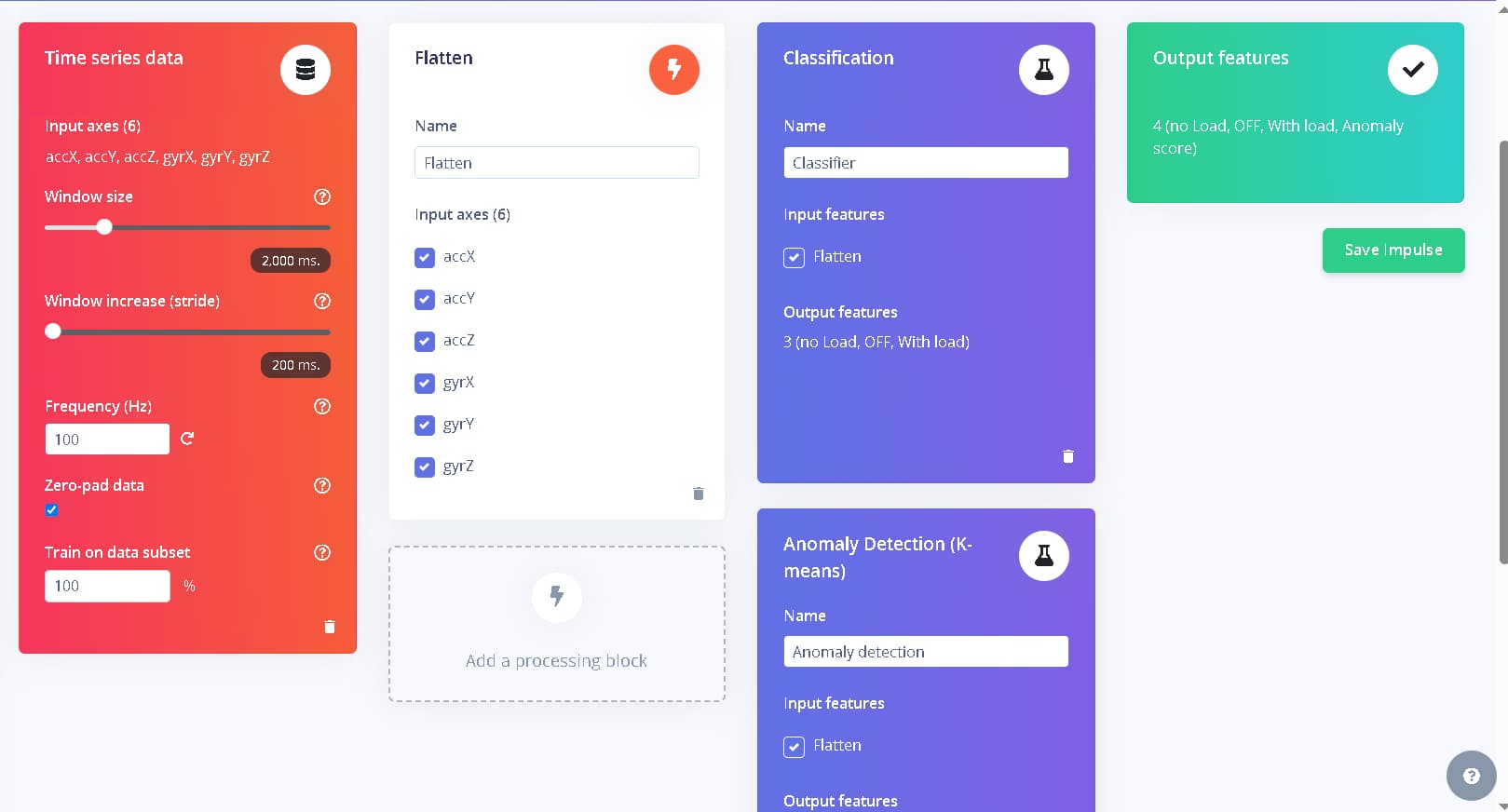
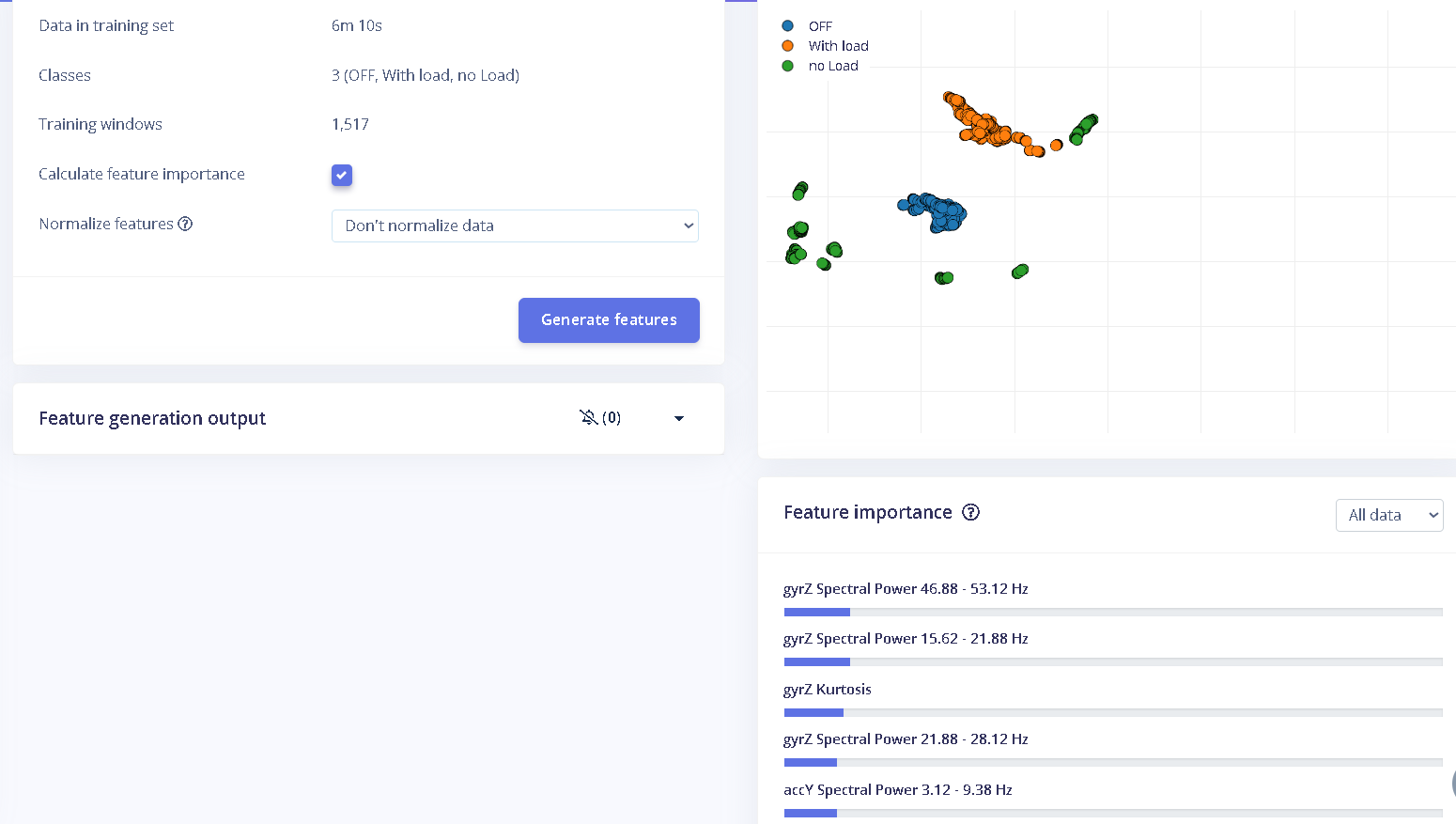
I tried to train my model for predicting of status a motor using the classification algorithm. I selected the most important feature axes(10 features) for training and it reached to 97% accuracy but in the reality , it does not work as good as that accuracy. my question is how I can make sure that on the program , these features are applied ? Another words, when the library is created ,it must affect the program but it is the same as before. I am using Arduino BLE 33 rev2.
Project ID:
[Provide the project ID]
Context/Use case:
[Provide context or use case where the issue is encountered]
Steps Taken:
- [Step 1]
- [Step 2]
- [Step 3]
Expected Outcome:
[Describe what you expected to happen]
Actual Outcome:
[Describe what actually happened]
Reproducibility:
- [ ] Always
- [ ] Sometimes
- [ ] Rarely
Environment:
-
Platform: [e.g., Raspberry Pi, nRF9160 DK, etc.]
-
Build Environment Details: [e.g., Arduino IDE 1.8.19 ESP32 Core for Arduino 2.0.4]
-
OS Version: [e.g., Ubuntu 20.04, Windows 10]
-
Edge Impulse Version (Firmware): [e.g., 1.2.3]
- To find out Edge Impulse Version:
- if you have pre-compiled firmware: run edge-impulse-run-impulse --raw and type AT+INFO. Look for Edge Impulse version in the output.
- if you have a library deployment: inside the unarchived deployment, open model-parameters/model_metadata.h and look for EI_STUDIO_VERSION_MAJOR, EI_STUDIO_VERSION_MINOR, EI_STUDIO_VERSION_PATCH
-
Edge Impulse CLI Version: [e.g., 1.5.0]
-
Project Version: [e.g., 1.0.0]
-
Custom Blocks / Impulse Configuration: [Describe custom blocks used or impulse configuration]
Logs/Attachments:
[Include any logs or screenshots that may help in diagnosing the issue]
Additional Information:
[Any other information that might be relevant]
Hi @Edvin_EH2026 - to clarify, the issue you are experiencing is a discrepancy between model performance shown in Studio and the model performance you are seeing on device?
There could be a number of reasons for this. Perhaps it was a really small training data set, perhaps test data in Studio is very similar to the training data but different to the real-world data, perhaps the training data didn’t reflect the real-world data (collected from a different accelerometer, board, motor, motor speeds/settings, etc.).
When you say you selected the most important features for training, what do you mean? Generating feature importance shows you information about which feature may be impacting the training of the model more than others, but all features are still passed to the learning block.
Hi Dear Brian. Thank you for your response. My confusion is that when we obtain 90% accuracy on Model testing before deploying on a board that means the model is trained very well. Is my prespective correct or Not ? to clarify , the board is attached and fixed on a motor. If I would get your point, the high accuracy is obtained on the model testing section does not gaurantee on real-world.
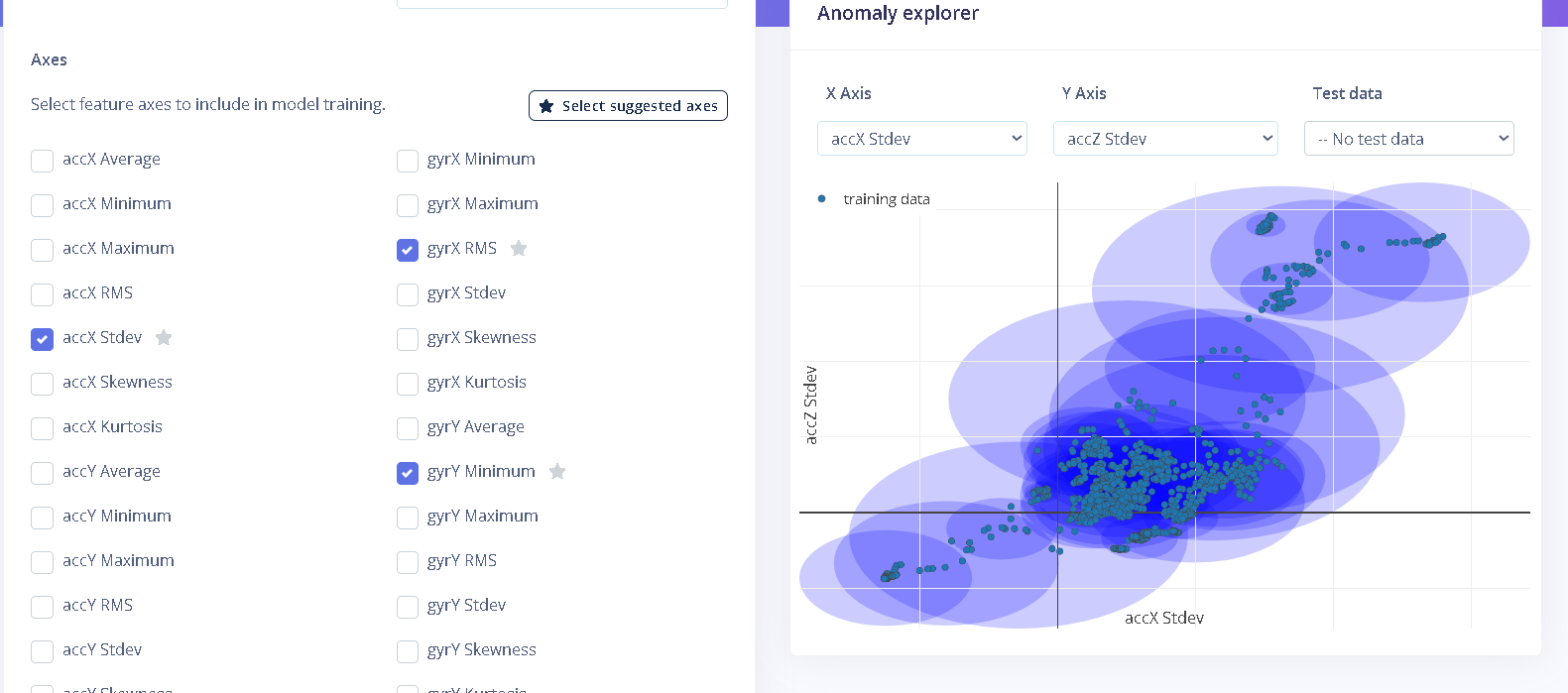
Regarding feature axes, in the Anomaly detection section there is availability to select some feature axes. For some reasons if I igonre to select those features, will it change anything ?
@Edvin_EH2026 - yes, a 90%+ accuracy can be considered a well-trained model, especially for experimentation purposes. Whether that accuracy is good enough does depend on your application though. Some applications may require higher accuracy than that.
Yes, high accuracy in Studio does not guarantee high accuracy after being deployed to device. Ideally they will be the same. There are times, however, where there can be a discrepancy. Often the discrepancy is caused by the training/testing data not representing the real-world scenario. If you are seeing a substantial discrepancy, we need to figure out the cause.
OK, a few points of clarification on the features. Your initial post showed an image with feature importance. I was assuming you were passing the generated features into a classification block, where all features are passed. Your image in your last post shows selecting axes for the anomaly detection block. Yes, you need to select axes for the anomaly detection to work. The selected axes are used to generated the clusters used for anomaly detection. If you select a different combination of axes, you will get a different combination of clusters for anomaly detection. I often use the suggested axes (the starred ones).
Does your impulse include a classification block, an anomaly detection block, or both? What results are you seeing on device? How are you determining the on-device performance/accuracy?
I used both blocks ( classification and anomaly detection) on my training model. As I already mentioned it does not sound work well rather its accuracy. it someties works and somestimes it shows a different output. Therefore, I decideded to do some expriments and I used Flatten block for the feature extraction . the accuracy is reached to 98% but it still does not affect on output. I assumed the data set need to be sampled longer than 10s or something is wrong with training model.