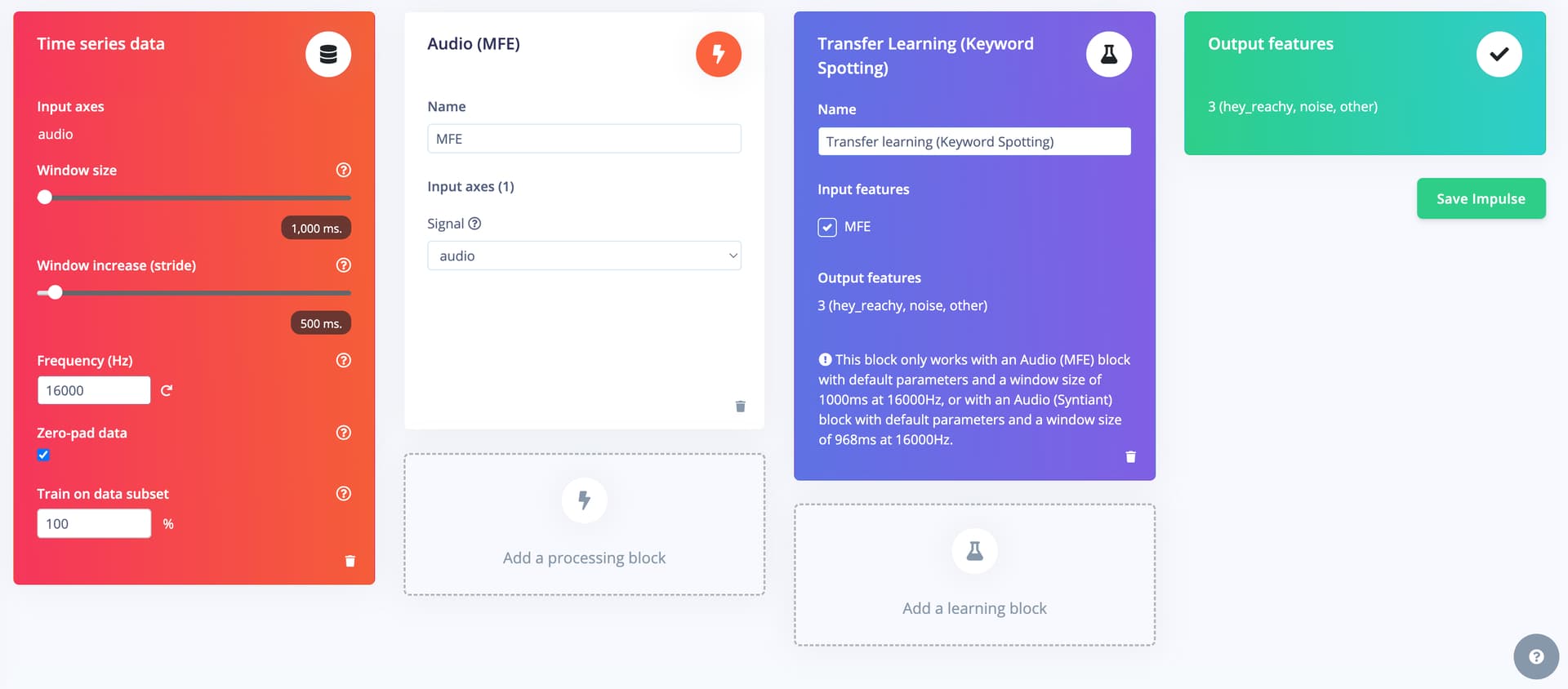
Question/Issue:
Edge Impulse failed to install AI model on Arduino Uno Q device through App Lab (version 0.10.0)
Project ID:
1090418
Context/Use case:
Arduino App Lab version 0.10.0, Keyword spotting brick
Summary:
Using any brick in Arduino App Lab, e.g. latest version 0.10.0, it allows you to use AI model from Edge Impulse via clicking “Train New AI Model” link, which leads to a project in edge impulse. Going to deployment of the project and select “Arduino Uno Q” as target and Build the model. It eventually download the model .eim file to local windows PC. But failed to install it onto Arduino Uno Q device through App Lab.
Steps to Reproduce:
Using Arduino App Lab, Cloning a “Hey Arduino” Inspiration example
Go to the brick’s AI Model tab. Click “Train new AI model”. It leads to the Edge Impulse account. Select project with above given project ID.
Go to “deployment” and you can see Arduino Uno Q is configured as target. Click Build. After model rebuilt. It pops up a window giving button - “Go to Arduino”.
Click the button, it will start App Lab if App Lab is not started. If App Lab is running, it complains App Lab is not installed, giving a link to install App Lab. So it doesn’t install model onto Arduino Uno Q and the AI model list of the Keyword spotting brick in App Lab remains to be same, without the new model added.
Expected Results:
Expect a new model added into AI model list of the brick and the new model .eim file along with model.yaml downloaded to the .arduino-bricks/models/… folder on Uno Q device.
Actual Results:
New model is not downloaded to Uno Q device. Edge Impulse doesn’t work well with latest version of Arduino App Lab.
Reproducibility:
[ X] Always
[ ] Sometimes
[ ] Rarely
Environment:
Platform: [e.g., Raspberry Pi, nRF9160 DK, etc.]
Build Environment Details: [e.g., Arduino IDE 1.8.19 ESP32 Core for Arduino 2.0.4]
OS Version: Windows 11
Edge Impulse Version (Firmware): [e.g., 1.2.3]
To find out Edge Impulse Version:
if you have pre-compiled firmware: run edge-impulse-run-impulse --raw and type AT+INFO. Look for Edge Impulse version in the output.
if you have a library deployment: inside the unarchived deployment, open model-parameters/model_metadata.h and look for EI_STUDIO_VERSION_MAJOR, EI_STUDIO_VERSION_MINOR, EI_STUDIO_VERSION_PATCH
Edge Impulse CLI Version: [e.g., 1.5.0]
Project Version: [e.g., 1.0.0]
Custom Blocks / Impulse Configuration: [Describe custom blocks used or impulse configuration] Logs/Attachments:
[Include any logs or screenshots that may help in diagnosing the issue]
Logs/Attachments:
[Include any logs or screenshots that may help in diagnosing the issue]
Additional Information:
When I first time open the account with edge impulse. Edge impulse successfully download yoloX nano model to Uno Q. Don’t know why it no longer works now.
Hi @jaden.shen - let me ask the team about this one. Version 0.10.0 of App Lab was just released and perhaps there were some new issues introduced. Stay tuned.
Hello @jaden.shen first of all welcome to the Edge Impulse community!
I have some questions for you related to your issue! Could you please confirm that the Arduino account that you have and the Edge Impulse account are using exactly the same email? This is necessary!
On the other hand, could you please confirm that you are training a ML model and have as a Target hardware (in the top left of Edge Impulse Studio) Arduino UNO Q selected and you deploy for Arduino UNO Q?
Thanks!
Click the button, it will start App Lab if App Lab is not started. If App Lab is running, it complains App Lab is not installed, giving a link to install App Lab.
Related with the button we are exploring internally why this is not working!
Yes, I used the same email in both Arduino and Edge Impulse account. I can confirm the target HW is set to Arduino Uno Q and deploy target is also Arduino Uno Q.
I can reliably reproduce the issue. Basically it’s blocking me from using my customized Edge Impulse Models. Even they are successfully built and downloaded to my local PC.
Hi @jaden.shen - Apologies for the delayed response. Marc has been out on PTO, so I’m following up on this.
Are you still experiencing the issue? If so, I can try to reproduce.
Something to try while I take a look:
Check that the UNO Q software is up to date
If not, update it
Sign out of your Arduino account in App Lab
Sign out of your Edge Impulse account in the browser
Quit and restart App Lab
Quit and restart your browser
In App Lab, in the AI model tab for the brick for your app, click on the “Train new AI model” button to trigger the Arduino and Edge Impulse sign in flow again
See if the project now appears in the AI model section for the brick in App Lab
If not, confirm the target in the project is UNO Q (yes, I know you said it is but I’m putting it here for future people looking at this thread )
If not, double check that the project type corresponds to the brick type, e.g. keyword spotting brick requires a project with audio data (seems fine in your case, but again putting here for completeness)
If yes, try clicking the download button for the model in App Lab to kick off the build, rather than starting the deployment build in Edge Impulse
Hopefully this will get you unstuck, and then the team can continue to look into what may be going on with the connection from Edge Impulse to App Lab.
 )
)