Question/Issue:
When trying to connect the Thingy53 with nrf7002eb Wi-Fi expansion board to edge impulse using the provided firmware it fails to sample, or depending on what was used to flash the board it won’t connect to the remote management api
Context:
Trying to do remote sampling over wi-fi
Summary:
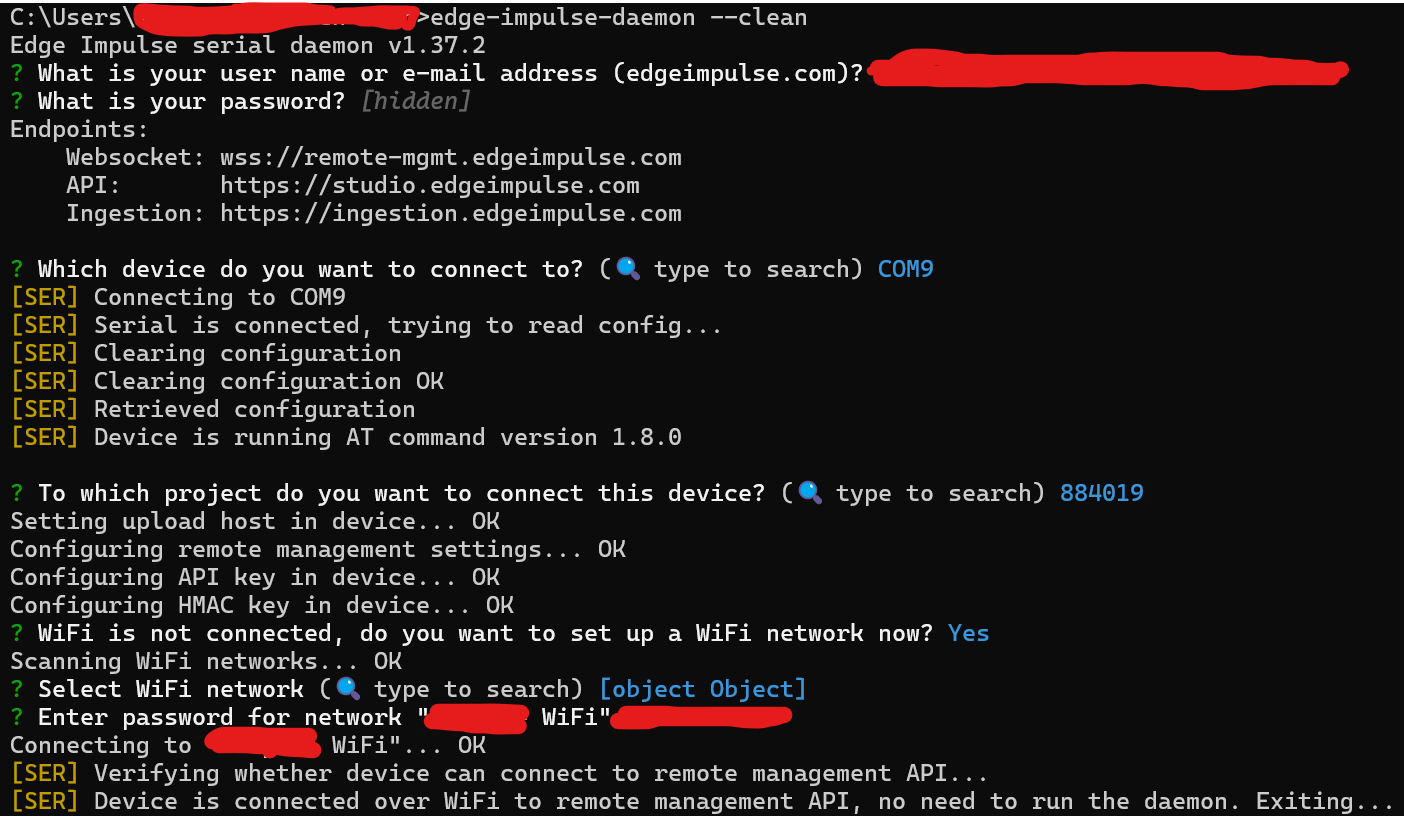
If I flash the Thing53 with nrf7002eb with the Edge Impulse - Wi-Fi from the programmer mobile app, then use the daemon it will connect to the remote management api but won’t sample.
If I flash using either the full.zip or the dfu.zip files from this page Nordic Semi Thingy:53 - Edge Impulse Documentation The device will not connect to the remote management api at all and will default to the serial daemon.
Steps to Reproduce:
Mobile app steps
- Use nrf programmer mobile app to flash Edge-Impulse - Wi-Fi firmware
- Connect to computer and run edge-impulse-daemon
- After connecting to an edge-impulse project try to sample from project webpage and it fails
Desktop steps
- Use the nordic-thingy53-WiFi-full.zip file, and extract the hex files
- place hex files in nrf Programmer desktop v4.7.1
- Erase all
- Erase and write
- use edge-impulse-daemon and try to connect
- Fails to connect and defaults to serial connection
Expected Results:
I expect that the firmware should result in the same outcome, since they should be for the exact same setup. And that I can actually communicate sampling over Wi-Fi
Actual Results:
It either connects to the remote management API and then says it couldn’t sample. Or it fails to connect and defaults to serial daemon.
Reproducibility:
- [ X ] Always
- [ ] Sometimes
- [ ] Rarely
Environment:
- Platform: [Thingy53, nrf7002eb]
- OS Version: [ Windows 11, IOS ]
- nrf Programmer: [ 4.7.1 ]
- Edge Impulse CLI Version: [ 1.37.2 ]
Logs/Attachments:
-
Firmware from nrf programmer mobile app
Additional Information:
[Any other information that might be relevant to the issue]