Question/Issue:
I followed the nRF54L15 DK guide to set the board up for data acquisition. The instruction “Choose the first SEGGER option” is a bit misleading since the second option has the AT interface, but that’s besides the point.
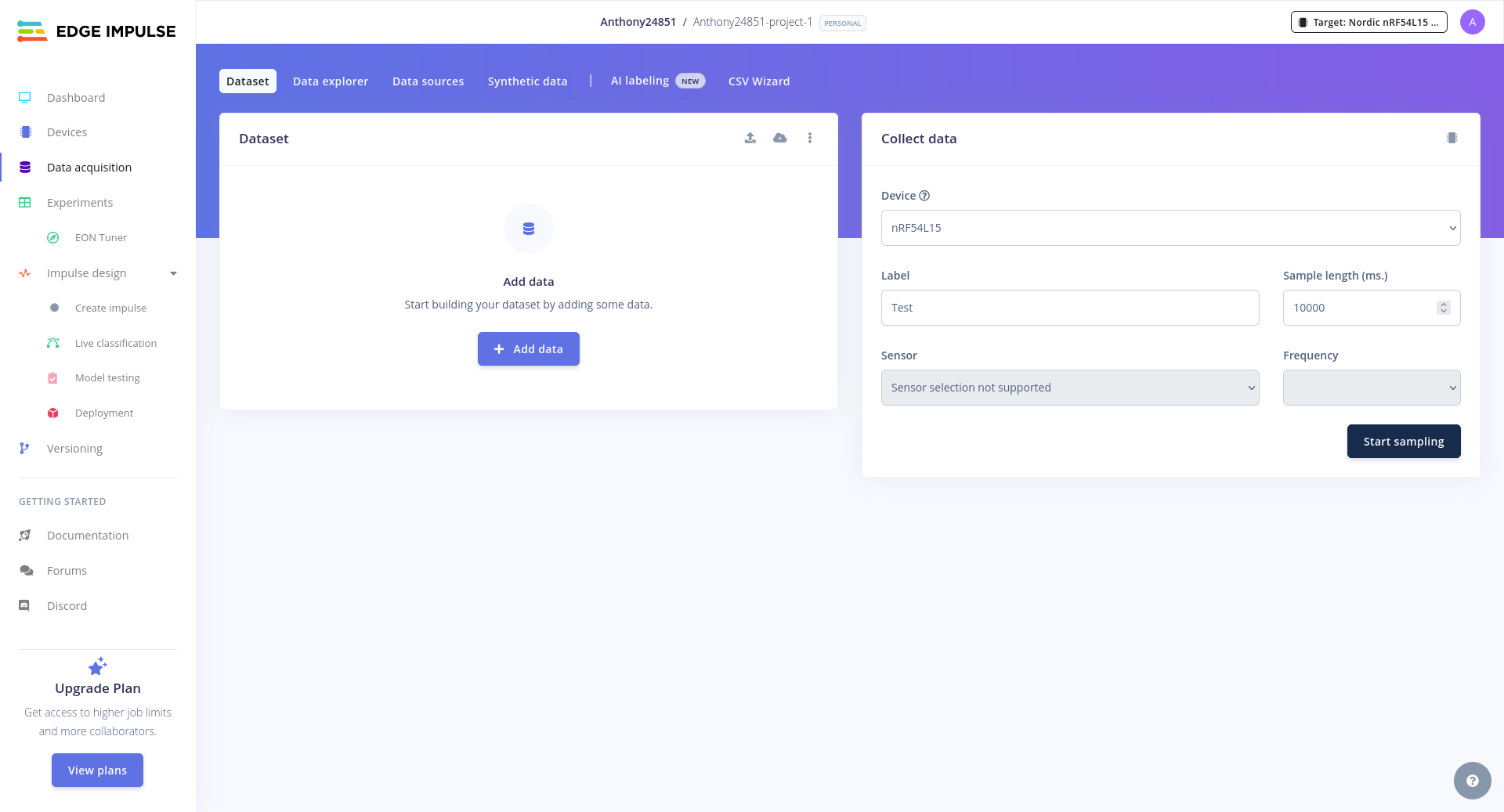
When I went to the data acquisition page of the auto-generated project, my device showed up but the sensor selection was grayed out and said “Sensor selection not supported”. How do I select the accelerometer from the IKS02A1?
Project ID:
1048257
Steps Taken:
Install the Edge Impulse CLI.
Follow the guide.
When edge-impulse-daemon outputs a link to a project, open it and observe a grayed out sensor list.
Expected Outcome:
I was hoping to follow this guide to quickly test the capabilities of Edge Impulse data acquisition and inference.
Reproducibility:
This happens every time on both Windows and Linux.
Environment:
Platform: nRF54L15
Build Environment Details: NA
OS Version: Windows 11 and Linux (NixOS)
Edge Impulse Version (Firmware): v0.0.0
Edge Impulse CLI Version: 1.39.2
Project Version: No versions created yet
Custom Blocks / Impulse Configuration: NA Logs/Attachments:
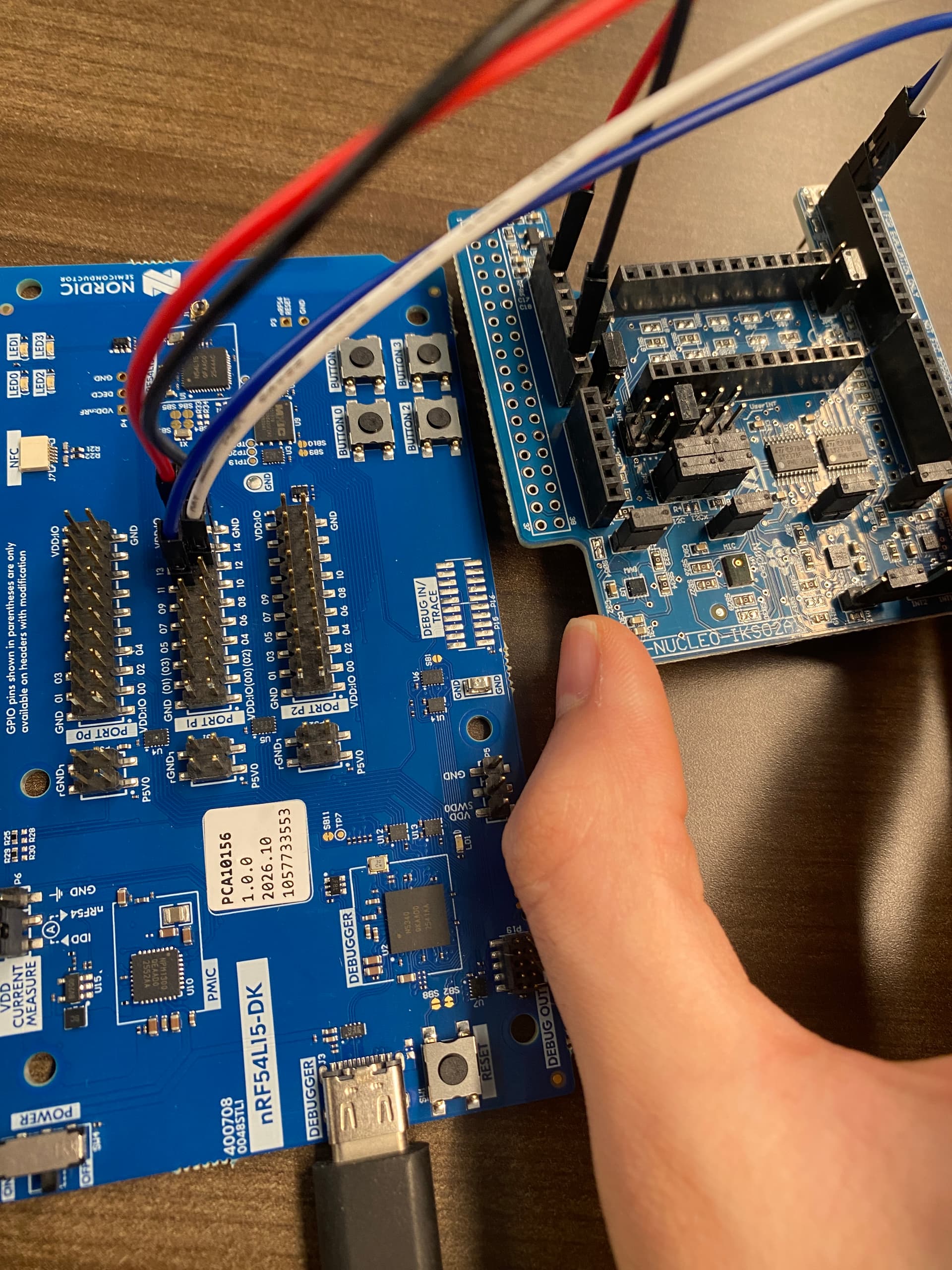
Here is a picture of my wiring to prove that I followed the instructions:
Edge Impulse serial daemon v1.39.2
Endpoints:
    Websocket: wss://remote-mgmt.edgeimpulse.com
    API:       https://studio.edgeimpulse.com
    Ingestion: https://ingestion.edgeimpulse.com

? Which device do you want to connect to? (🔍 type to search) /dev/ttyACM1
[SER] Connecting to /dev/ttyACM1
[SER] Serial is connected, trying to read config...
[SER] Retrieved configuration
[SER] Device is running AT command version 1.8.0

Configuring API key in device... OK
[SER] Device is not connected to remote management API, will use daemon
[WS ] Connecting to wss://remote-mgmt.edgeimpulse.com
[WS ] Connected to wss://remote-mgmt.edgeimpulse.com
[WS ] Device "nRF54L15" is now connected to project "Anthony24851-project-1". To connect to another project, run `edge-impulse-daemon --clean`.
[WS ] Go to https://studio.edgeimpulse.com/studio/1048257/acquisition/training to build your machine learning model!