Question/Issue:
Using Custom Learning Block it generate my model (Image Classification), then during deployement the firmware generated do nothing, Himax init ok then in wainting …
I made a custom firmware to display the result and everything works fine …
But not when it is EI autogenerated firmware, what I am missing to make it works?
My model is image classification, it should see from my config EI to use the camera connected to himax & infer, any idea?
Steps Taken:
Gen Deployment model & firmware
flash both
nothing happen
Reproducibility:
[X] Always
[ ] Sometimes
[ ] Rarely
Environment:
Platform: Grove AI vision 2 (Himax)
OS Version: Ubuntu 24
Edge Impulse Version (Firmware): [e.g., 1.2.3]
EI version : Edge Impulse impulse runner v1.39.2
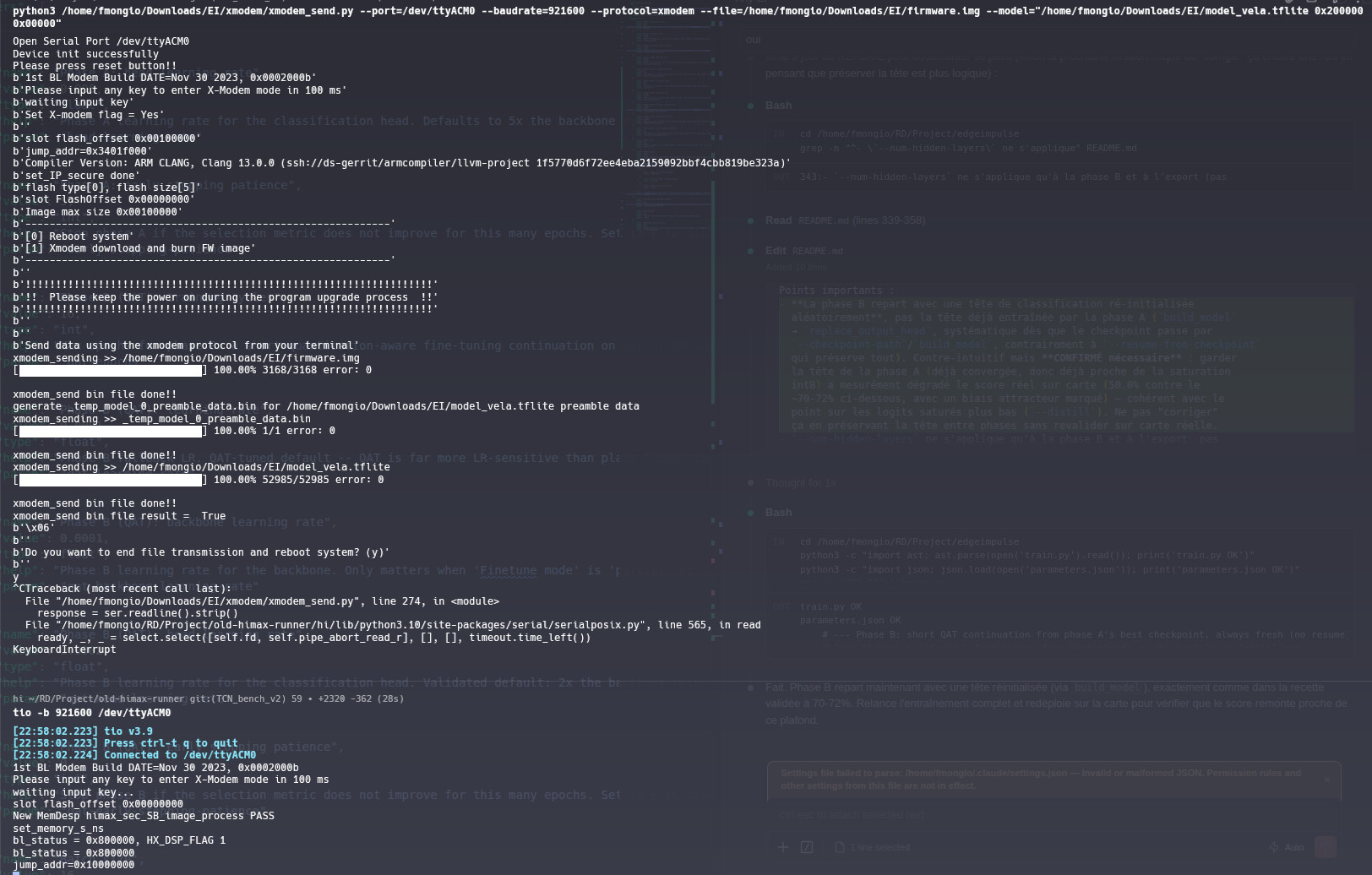
LOGS :
1st BL Modem Build DATE=Nov 30 2023, 0x0002000b
Please input any key to enter X-Modem mode in 100 ms
waiting input key…
slot flash_offset 0x00000000
New MemDesp himax_sec_SB_image_process PASS
set_memory_s_ns
bl_status = 0x800000, HX_DSP_FLAG 1
bl_status = 0x800000
jump_addr=0x10000000
and then nothing & doesn t seems like it have crashed
Yes, the deployment board is the Seeed Grove Vision AI Module V2 (Himax WiseEye2) , and that’s exactly the board I’m using.
My custom firmware uses serial to send an image and then run inference using the EI SDK , and that’s working correctly.
I was now hoping to use the EI generated firmware to test my model directly with the camera, since the deployment page indicates that this should work.
However, when I :
connect the camera
flash the EI generated firmware + model from the Deployment tab with Seeed Grove Vision AI Module V2 selected as the target
Power on the board
it doesn’t seem to run inference with my model. It only displays the basic welcome log.
Am I missing an additional step or configuration to enable camera inference with the generated firmware?
The auto-generated firmware is likely using a generic ‘Hello World’ style template for the Himax WiseEye2 that only performs basic initialization and then waits for an input.
Since your custom code successfully handles the camera, do you think you can share the initialization code to check the differences among your custom firmware and the auto-generated? Then we may be able to understand why is the camera is not working and how to fix the auto-generated firmware!
The log output suggests that it’s stuck in the bootloader.
Can you share any logs/screenshots of when you flashed the firmware and model using the packaged flashing scripts. See the accompanying README.txt in the deployment zip.
Also can you try another project without a custom learn block but using one of our standard image classification projects/models. I’d like to elimante whether it’s the custom learn block or not.
My custom firmware don t use the camera, it use usb transfert to send an image in order to evaluate the model trained from EI inside the grove.
=> Note : From Himax github we have an app called ei_standalone_inferencing_camera
I will build it & try it.
I also create a new impulse based on mobilenet (full EI classic pipeline not my learning block)
same result
Kind of curious, learning block is to train & generate the model, how it can affected the firmware ? missing metadata ?
Deployment block should ajust firmware (sensor activation) knowing the model type, define on the first step of the new impulse, correct ?
Also for the firmware that you tested and worked. Can you share the build logs and the flash and bootup logs? I’m currious about the addresses and sizes.
Hi @minimai-io
I will take over this support activity as I worked on the firmware that you can deploy from our Studio.
One think that I see on your screenshot is that you are opening the serial port using 921600 baudrate. Could you try 115200? The thing is, bootloader is using 921600 but then the firmware is switching back to 115200 (to be compatible with other supported boards), so:
tio -b 115200 /dev/ttyACM0
Also, could you share your project ID where we can reproduce the issue? Or share a Ethos library export for this board.