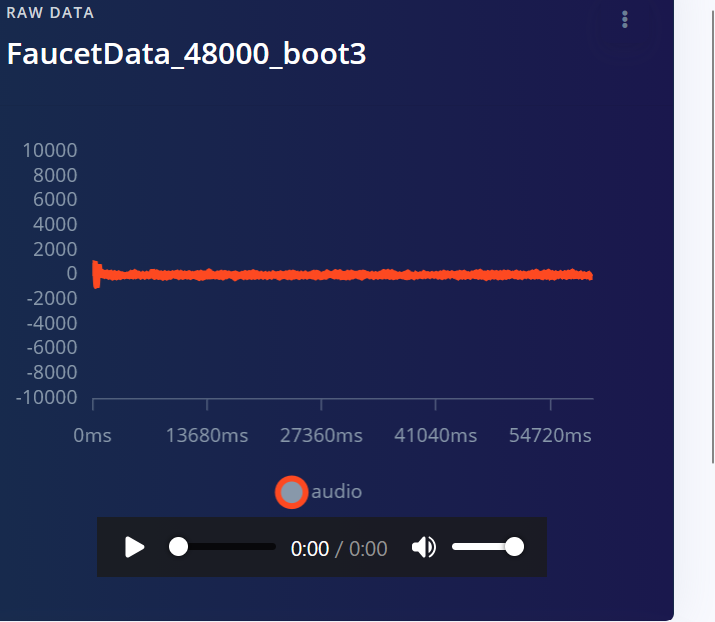
For clarity I also downloaded the same file from EI and plotted it
Expected Outcome:
Raw data shouldn’t change
Actual Outcome:
Based on plots it’s clear the data is being scaled once uploaded; but it’s not clear, why and by how much. Based on the wav header of the file after downloading from EI, each sample is now 2 bytes; but the file is somewhat corrupted because it’s also missing some bytes. So, maybe the wav header is also modified in a way that leaves data missing.
@notheruser - to answer the question in the title of the post, no, Edge Impulse doesn’t scale the data once it is uploaded. The only processing that happens to the data is based on the impulse you have defined (input block and processing block).
I know as a new forum user you were probably limited in the amount of photos you could post. Could you please share the two plots (the one shown in Studio and the one you have created yourself) for the same data sample. Let’s figure out what’s going on here.
Thanks for following up @notheruser (I didn’t get any notifications for your previous two posts, just the one where you tagged me). I’m going to ask the rest of the team about this one. Hang tight!
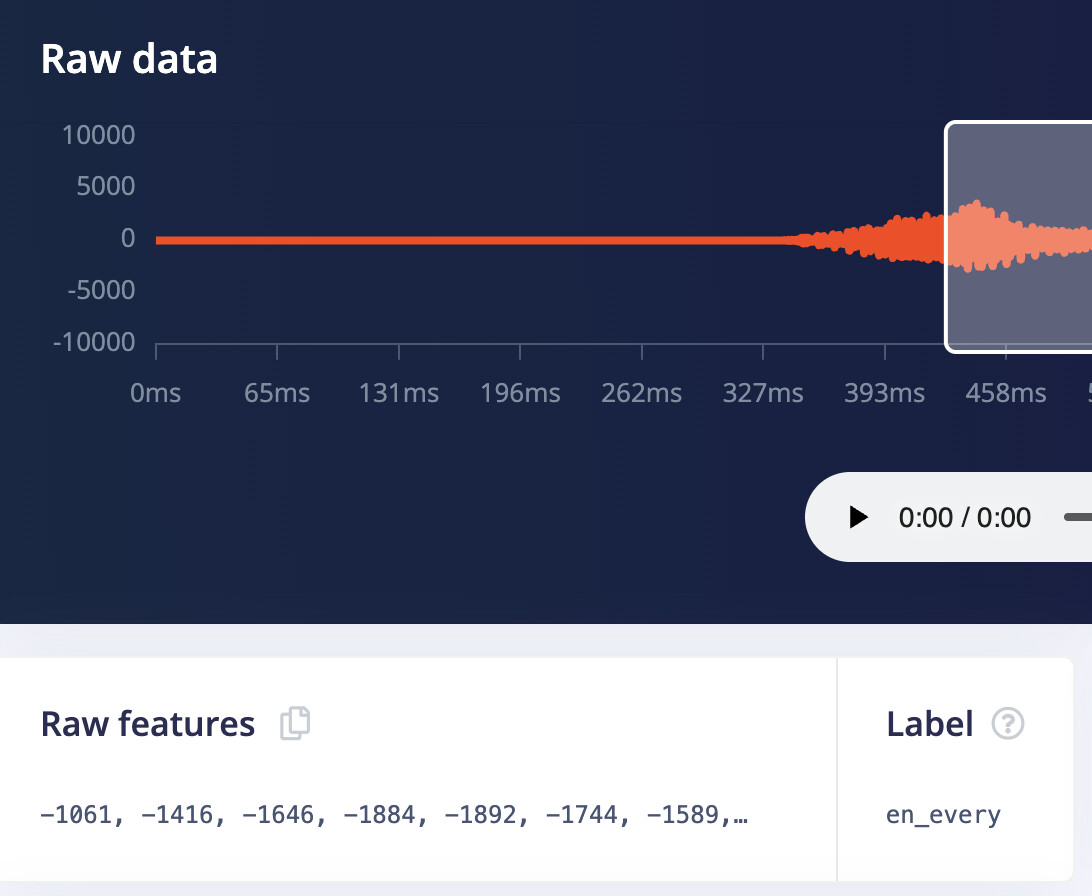
Yes, it does appear that if you don’t upload a 16 bit wav (which is the typical precision), we’re rescaling it to 16 bit. The example you should tracks: the peak in the beginning of the frame is ~260,000. So 260,000 / 2^24 is about 0.15, so 0.15 max scale * 2^16 = ~1000, which you can see in the second graph
So if you have a true 24 bit input in deployment, and you can’t change that at the driver level, then just scale before calling run_classifier / get_data(). Scale like so: * 2^16/2^24. Or do the same thing with a bit shift (though the compiler almost always will see the optimization and do it for you in -O1 or better.
Another sanity check here: If you ever want to be sure how your data should look on device, take a look at “Raw Features” anywhere in Studio (ex: DSP screen, shown here)
As I was thinking about filing an issue for this, I actually think this is the right choice in most cases. Users may upload wav files from different sources and they may be encoded differently, which will artificially change their classifier if we don’t scale to a standard precision. 16 bits is a good choice. Most wav is 16 bits and most deployments will be 16 bits. And even if you carry around 24 bits of precision, something in the ADC chain will likely not have that much precision, so you’ll effectively have “fake bits”.
There is a workaround: If you really have 24 bits on device (check your datasheets!), then you can upload via json instead of wav and Studio won’t do any scaling. You’ll lose the ability to play the samples in studio, but otherwise everything else will behave the same.
@notheruser your link is not working for me. Can you upload it to a different platform (or I think you can even attach it here.
What comes out of studio is 16bit .wav format. The encoding is ± 2^15. Any concept of float, “2.00”, etc, is just convenience in graphing the wav file vs full scale (which is usually 1.0, but doesn’t have to be, especially if you’re decoding in a python script)
But to really get into this, I just need the input file, to be able to say if our scaling is doing something odd, so once you upload that somewhere other than limewire I will have a look and let you know what I see.