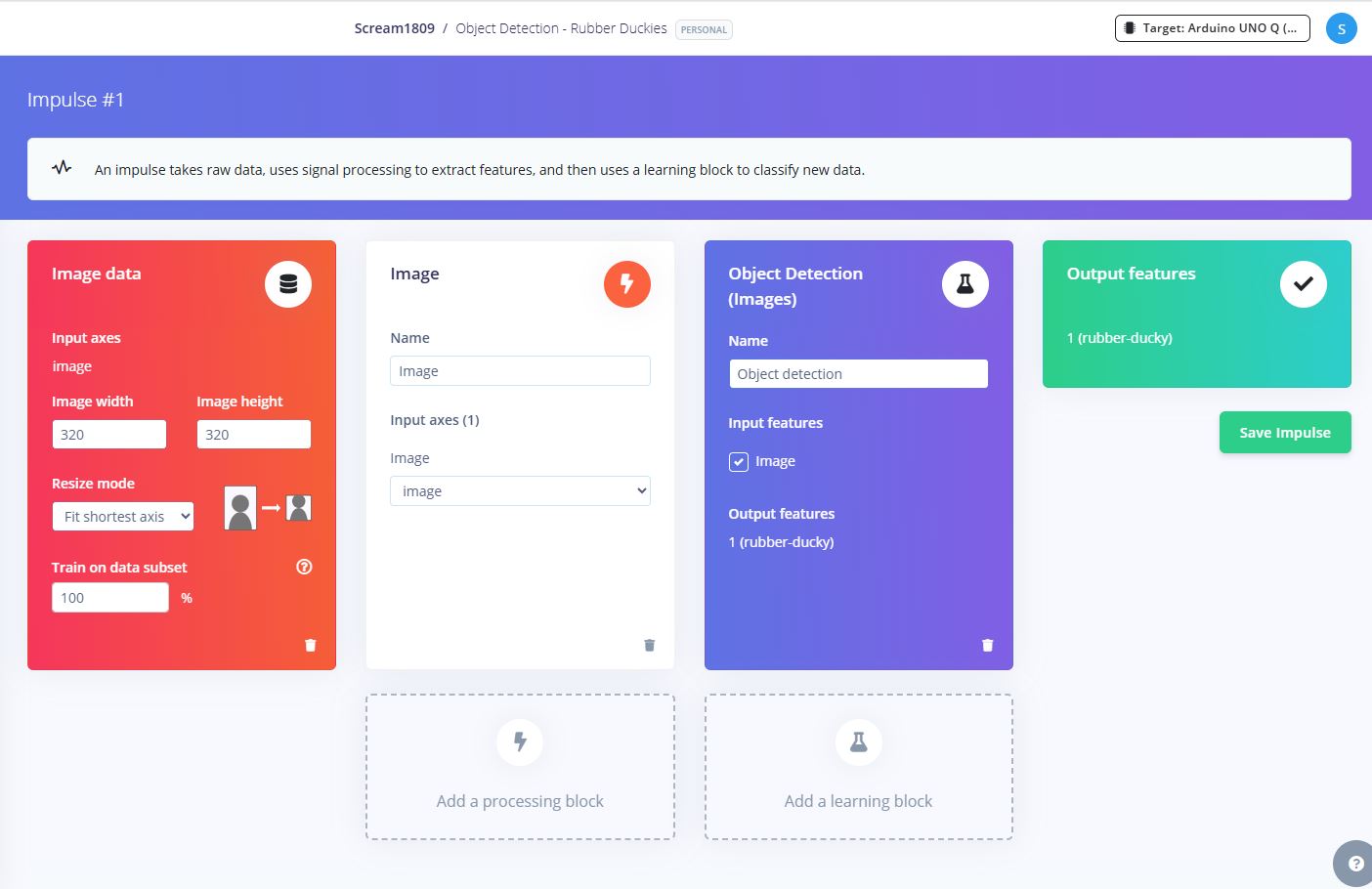
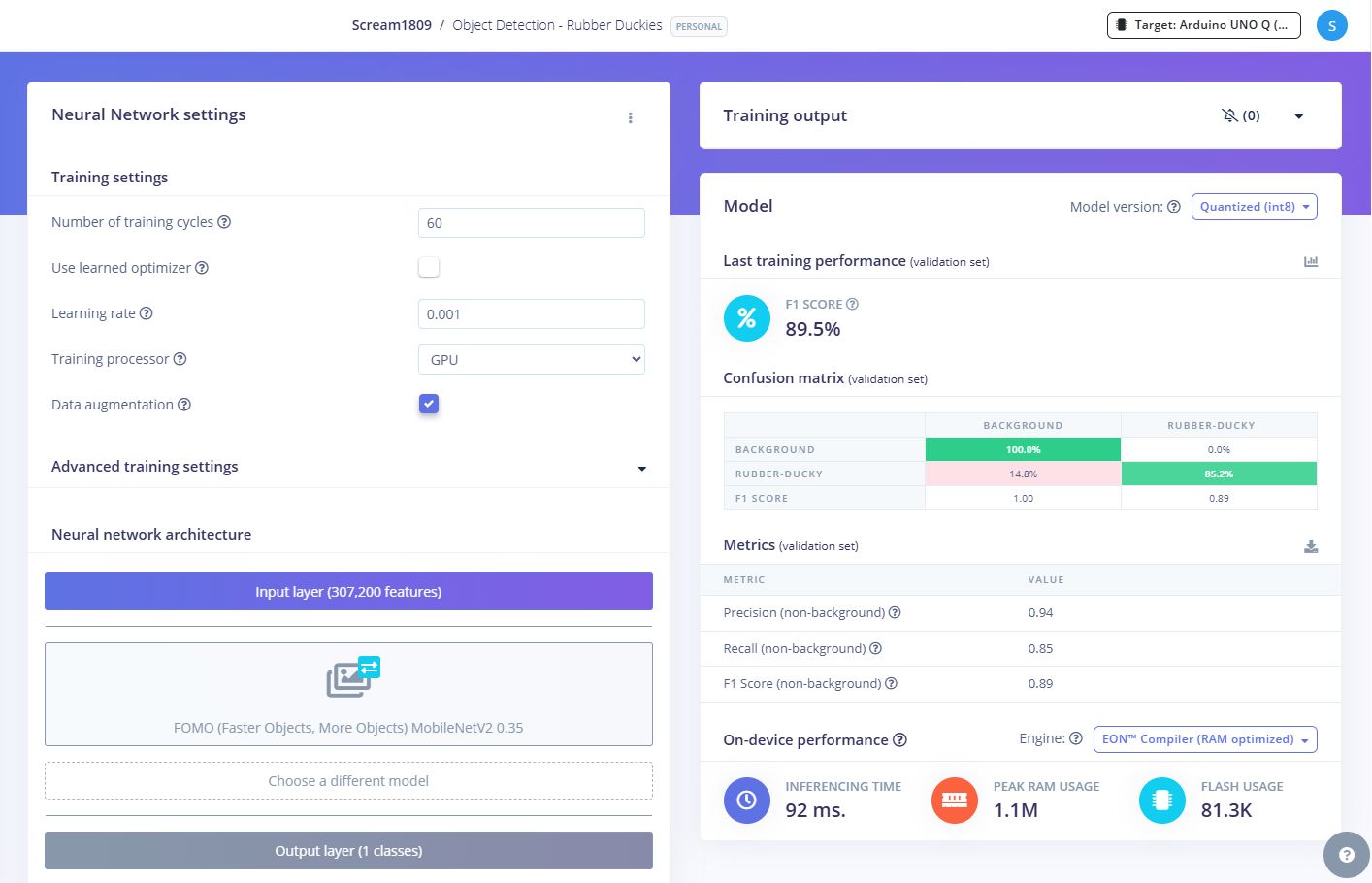
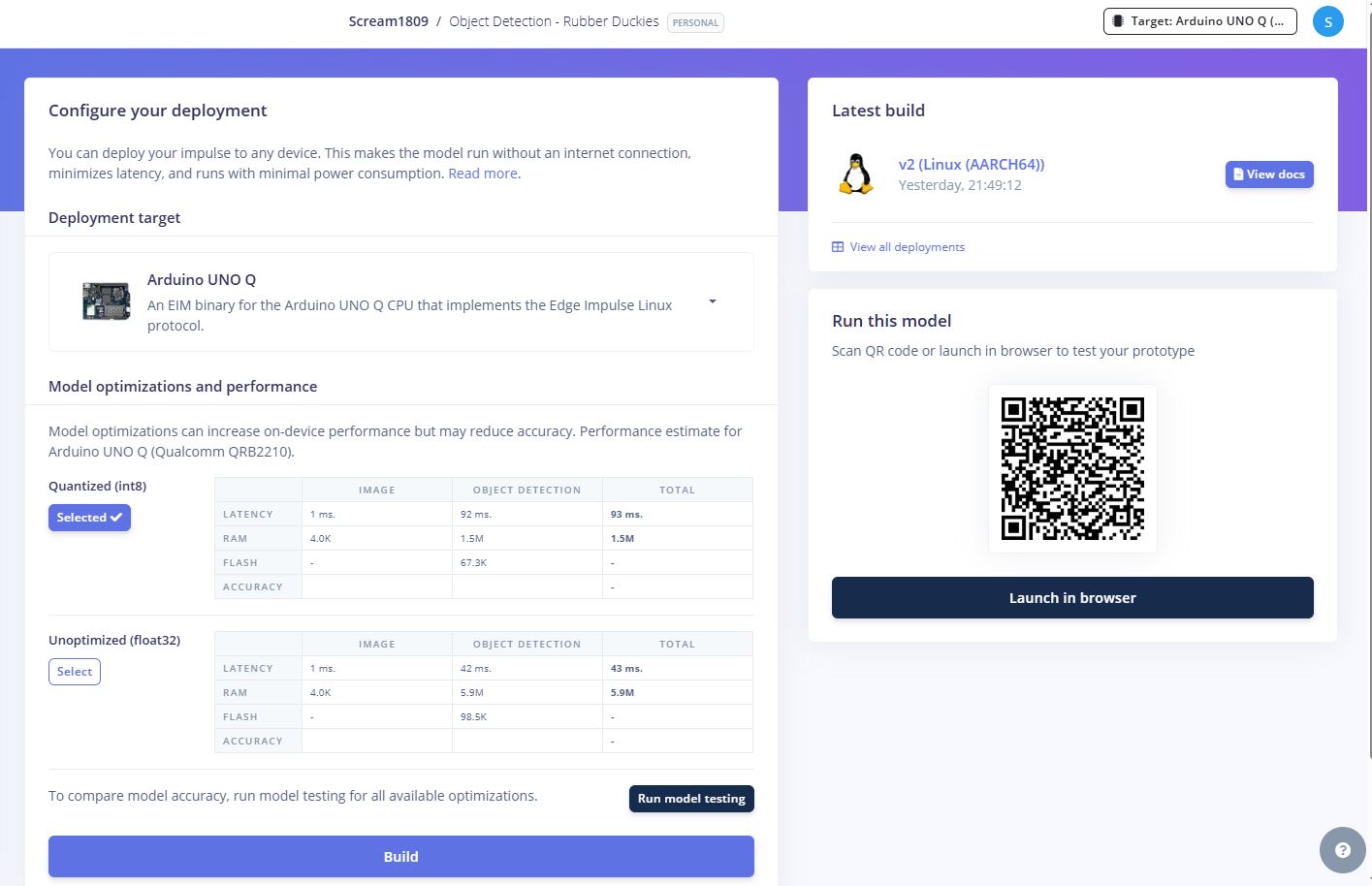
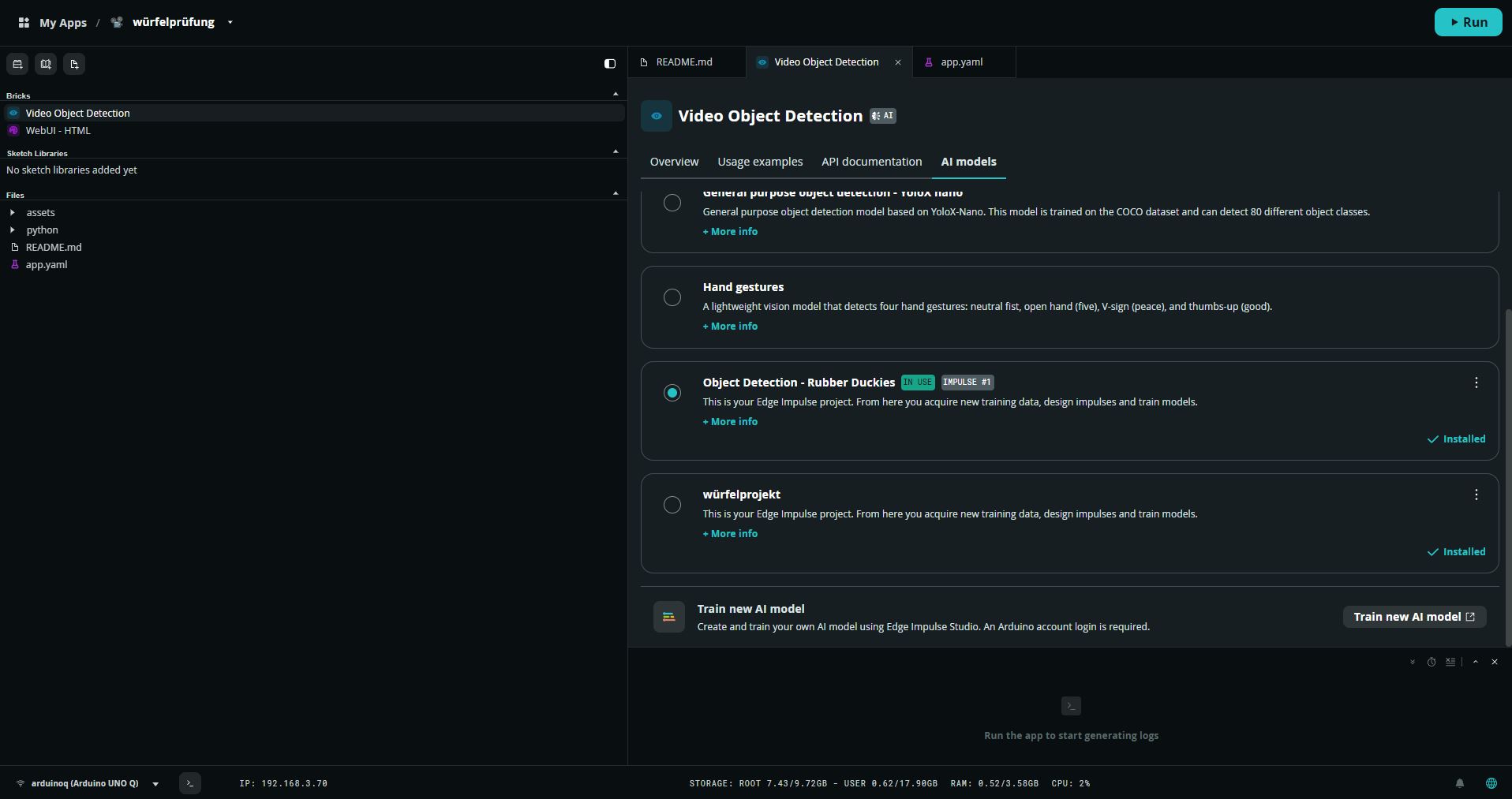
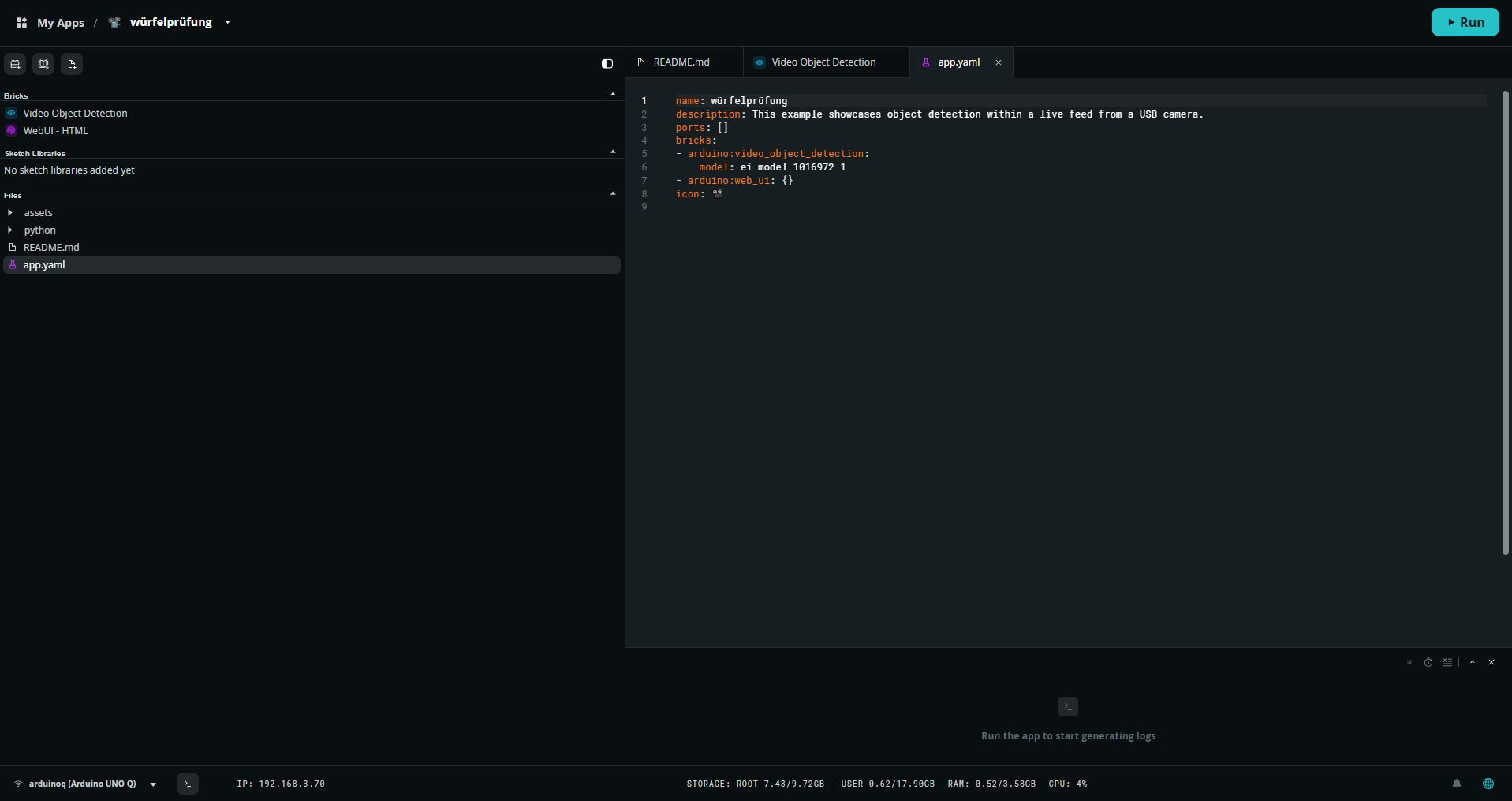
it simply takes the wrong model. thats the phyton console when i start the app:
Blockquote======== App is starting ============================
2026-06-01 19:49:47.109 INFO - [MainThread] VideoObjectDetection: [VideoObjectDetection] Host: ei-video-obj-detection-runner - URL: ws://ei-video-obj-detection-runner:4912
2026-06-01 19:49:47.120 INFO - [WebUI.execute] WebUI: The application interface is available here:
- Local URL: http://localhost:7000
- Network URL: http://192.168.3.70:7000
2026-06-01 19:49:47.120 INFO - [MainThread] V4LCamera: Starting camera…
2026-06-01 19:49:47.312 WARNING - [MainThread] V4LCamera: Camera usb:4k usb Camera Redeagle: 4k usb FPS set to 30 instead of requested 10
2026-06-01 19:49:47.818 INFO - [MainThread] V4LCamera: Successfully started usb:4k usb Camera Redeagle: 4k usb
2026-06-01 19:49:47.824 INFO - [VideoObjectDetection.camera_loop] VideoObjectDetection: TCP connection established to ei-video-obj-detection-runner:5050
2026-06-01 19:49:47.826 INFO - [MainThread] App: App started
2026-06-01 19:49:48.284 ERROR - [WebUI.execute] WebUI: Failed to execute callback for ‘override_th’: ‘VideoObjectDetection’ object has no attribute ‘_model_info’
Traceback (most recent call last):
File “/usr/local/lib/python3.13/site-packages/arduino/app_bricks/web_ui/web_ui.py”, line 355, in run_callback_async
result = await asyncio.to_thread(callback, sid, data)
^^^^^^^^^^^^^^^^^^^^^^^^^^^^^^^^^^^^^^^^^^^^
File “/usr/local/lib/python3.13/asyncio/threads.py”, line 25, in to_thread
return await loop.run_in_executor(None, func_call)
^^^^^^^^^^^^^^^^^^^^^^^^^^^^^^^^^^^^^^^^^^^
File “/usr/local/lib/python3.13/concurrent/futures/thread.py”, line 59, in run
result = self.fn(*self.args, **self.kwargs)
File “/app/python/main.py”, line 13, in
ui.on_message(“override_th”, lambda sid, threshold: detection_stream.override_threshold(threshold))
File "/usr/local/lib/python3.13/site-packages/arduino/app_bricks/video_objectdetection/__init__.py", line 413, in override_threshold
self._override_threshold(ws, value)
~~~~~~~~~~~~~~~~~~~~~~~~^^^^^^^^^^^
File "/usr/local/lib/python3.13/site-packages/arduino/app_bricks/video_objectdetection/__init__.py", line 429, in _override_threshold
if self._model_info is None or self._model_info.thresholds is None or len(self._model_info.thresholds) == 0:
^^^^^^^^^^^^^^^^
AttributeError: 'VideoObjectDetection' object has no attribute '_model_info'
2026-06-01 19:49:49.840 INFO - [VideoObjectDetection.object_dete] VideoObjectDetection:  WebSocket connection established
2026-06-01 19:49:49.842 INFO - [VideoObjectDetection.object_dete] VideoObjectDetection:  Overriding detection threshold. New confidence: 0.5
2026-06-01 19:49:55.027 INFO - [ThreadPoolExecutor-0_0] VideoObjectDetection:  Overriding detection threshold. New confidence: 0.49
2026-06-01 19:49:55.072 INFO - [ThreadPoolExecutor-0_0] VideoObjectDetection:  Overriding detection threshold. New confidence: 0.48
2026-06-01 19:49:55.102 INFO - [ThreadPoolExecutor-0_1] VideoObjectDetection:  Overriding detection threshold. New confidence: 0.47
2026-06-01 19:49:55.118 INFO - [ThreadPoolExecutor-0_2] VideoObjectDetection:  Overriding detection threshold. New confidence: 0.46
2026-06-01 19:49:55.137 INFO - [ThreadPoolExecutor-0_0] VideoObjectDetection:  Overriding detection threshold. New confidence: 0.45
2026-06-01 19:49:55.148 INFO - [ThreadPoolExecutor-0_1] VideoObjectDetection:  Overriding detection threshold. New confidence: 0.44
2026-06-01 19:49:55.172 INFO - [ThreadPoolExecutor-0_2] VideoObjectDetection:  Overriding detection threshold. New confidence: 0.43
2026-06-01 19:49:55.236 INFO - [ThreadPoolExecutor-0_0] VideoObjectDetection:  Overriding detection threshold. New confidence: 0.42
2026-06-01 19:49:55.271 INFO - [ThreadPoolExecutor-0_1] VideoObjectDetection:  Overriding detection threshold. New confidence: 0.41
2026-06-01 19:49:55.318 INFO - [ThreadPoolExecutor-0_2] VideoObjectDetection:  Overriding detection threshold. New confidence: 0.4
2026-06-01 19:49:55.357 INFO - [ThreadPoolExecutor-0_0] VideoObjectDetection:  Overriding detection threshold. New confidence: 0.39
2026-06-01 19:49:55.399 INFO - [ThreadPoolExecutor-0_1] VideoObjectDetection:  Overriding detection threshold. New confidence: 0.38
2026-06-01 19:49:55.422 INFO - [ThreadPoolExecutor-0_2] VideoObjectDetection:  Overriding detection threshold. New confidence: 0.37
2026-06-01 19:49:55.454 INFO - [ThreadPoolExecutor-0_0] VideoObjectDetection:  Overriding detection threshold. New confidence: 0.36
2026-06-01 19:49:55.504 INFO - [ThreadPoolExecutor-0_1] VideoObjectDetection:  Overriding detection threshold. New confidence: 0.35
2026-06-01 19:49:55.535 INFO - [ThreadPoolExecutor-0_2] VideoObjectDetection:  Overriding detection threshold. New confidence: 0.34
2026-06-01 19:49:55.602 INFO - [ThreadPoolExecutor-0_0] VideoObjectDetection:  Overriding detection threshold. New confidence: 0.33
2026-06-01 19:49:55.620 INFO - [ThreadPoolExecutor-0_1] VideoObjectDetection:  Overriding detection threshold. New confidence: 0.32
2026-06-01 19:49:55.636 INFO - [ThreadPoolExecutor-0_2] VideoObjectDetection:  Overriding detection threshold. New confidence: 0.31
2026-06-01 19:49:55.657 INFO - [ThreadPoolExecutor-0_0] VideoObjectDetection:  Overriding detection threshold. New confidence: 0.3
2026-06-01 19:49:55.678 INFO - [ThreadPoolExecutor-0_1] VideoObjectDetection:  Overriding detection threshold. New confidence: 0.29
2026-06-01 19:49:55.725 INFO - [ThreadPoolExecutor-0_2] VideoObjectDetection:  Overriding detection threshold. New confidence: 0.28
2026-06-01 19:49:55.741 INFO - [ThreadPoolExecutor-0_0] VideoObjectDetection:  Overriding detection threshold. New confidence: 0.27
2026-06-01 19:49:55.767 INFO - [ThreadPoolExecutor-0_1] VideoObjectDetection:  Overriding detection threshold. New confidence: 0.26
2026-06-01 19:49:55.810 INFO - [ThreadPoolExecutor-0_2] VideoObjectDetection:  Overriding detection threshold. New confidence: 0.25
2026-06-01 19:49:55.814 INFO - [ThreadPoolExecutor-0_0] VideoObjectDetection:  Overriding detection threshold. New confidence: 0.24
2026-06-01 19:49:55.836 INFO - [ThreadPoolExecutor-0_1] VideoObjectDetection:  Overriding detection threshold. New confidence: 0.23
2026-06-01 19:49:55.871 INFO - [ThreadPoolExecutor-0_2] VideoObjectDetection:  Overriding detection threshold. New confidence: 0.22
2026-06-01 19:49:55.910 INFO - [ThreadPoolExecutor-0_0] VideoObjectDetection:  Overriding detection threshold. New confidence: 0.2
2026-06-01 19:49:55.950 INFO - [ThreadPoolExecutor-0_1] VideoObjectDetection:  Overriding detection threshold. New confidence: 0.19
2026-06-01 19:49:55.982 INFO - [ThreadPoolExecutor-0_2] VideoObjectDetection:  Overriding detection threshold. New confidence: 0.18
2026-06-01 19:49:55.989 INFO - [ThreadPoolExecutor-0_0] VideoObjectDetection:  Overriding detection threshold. New confidence: 0.17
2026-06-01 19:49:56.016 INFO - [ThreadPoolExecutor-0_1] VideoObjectDetection:  Overriding detection threshold. New confidence: 0.16
2026-06-01 19:49:56.022 INFO - [ThreadPoolExecutor-0_2] VideoObjectDetection:  Overriding detection threshold. New confidence: 0.15
2026-06-01 19:49:56.049 INFO - [ThreadPoolExecutor-0_0] VideoObjectDetection:  Overriding detection threshold. New confidence: 0.14
2026-06-01 19:49:56.089 INFO - [ThreadPoolExecutor-0_1] VideoObjectDetection:  Overriding detection threshold. New confidence: 0.13
2026-06-01 19:49:56.134 INFO - [ThreadPoolExecutor-0_2] VideoObjectDetection:  Overriding detection threshold. New confidence: 0.12
2026-06-01 19:49:56.152 INFO - [ThreadPoolExecutor-0_0] VideoObjectDetection:  Overriding detection threshold. New confidence: 0.11
2026-06-01 19:49:56.207 INFO - [ThreadPoolExecutor-0_1] VideoObjectDetection:  Overriding detection threshold. New confidence: 0.1
2026-06-01 19:49:56.253 INFO - [ThreadPoolExecutor-0_2] VideoObjectDetection:  Overriding detection threshold. New confidence: 0.09
2026-06-01 19:49:56.310 INFO - [ThreadPoolExecutor-0_0] VideoObjectDetection:  Overriding detection threshold. New confidence: 0.08
2026-06-01 19:49:56.381 INFO - [ThreadPoolExecutor-0_1] VideoObjectDetection:  Overriding detection threshold. New confidence: 0.07
2026-06-01 19:49:56.419 INFO - [ThreadPoolExecutor-0_2] VideoObjectDetection:  Overriding detection threshold. New confidence: 0.06
2026-06-01 19:49:56.544 INFO - [ThreadPoolExecutor-0_0] VideoObjectDetection:  Overriding detection threshold. New confidence: 0.05
2026-06-01 19:49:56.663 INFO - [ThreadPoolExecutor-0_1] VideoObjectDetection:  Overriding detection threshold. New confidence: 0.04
2026-06-01 19:50:03.692 INFO - [ThreadPoolExecutor-0_2] VideoObjectDetection:  Overriding detection threshold. New confidence: 0.05
2026-06-01 19:50:03.776 INFO - [ThreadPoolExecutor-0_0] VideoObjectDetection:  Overriding detection threshold. New confidence: 0.06
2026-06-01 19:50:03.873 INFO - [ThreadPoolExecutor-0_1] VideoObjectDetection:  Overriding detection threshold. New confidence: 0.07
2026-06-01 19:50:04.014 INFO - [ThreadPoolExecutor-0_2] VideoObjectDetection:  Overriding detection threshold. New confidence: 0.08
2026-06-01 19:50:04.103 INFO - [ThreadPoolExecutor-0_0] VideoObjectDetection:  Overriding detection threshold. New confidence: 0.09
2026-06-01 19:50:04.177 INFO - [ThreadPoolExecutor-0_1] VideoObjectDetection:  Overriding detection threshold. New confidence: 0.1
2026-06-01 19:50:04.297 INFO - [ThreadPoolExecutor-0_2] VideoObjectDetection:  Overriding detection threshold. New confidence: 0.11
2026-06-01 19:50:04.419 INFO - [ThreadPoolExecutor-0_0] VideoObjectDetection:  Overriding detection threshold. New confidence: 0.12
2026-06-01 19:50:04.498 INFO - [ThreadPoolExecutor-0_1] VideoObjectDetection:  Overriding detection threshold. New confidence: 0.13
2026-06-01 19:50:04.577 INFO - [ThreadPoolExecutor-0_2] VideoObjectDetection:  Overriding detection threshold. New confidence: 0.14
2026-06-01 19:50:04.697 INFO - [ThreadPoolExecutor-0_0] VideoObjectDetection:  Overriding detection threshold. New confidence: 0.15
2026-06-01 19:50:04.812 INFO - [ThreadPoolExecutor-0_1] VideoObjectDetection:  Overriding detection threshold. New confidence: 0.16
2026-06-01 19:50:04.865 INFO - [ThreadPoolExecutor-0_2] VideoObjectDetection:  Overriding detection threshold. New confidence: 0.17
2026-06-01 19:50:04.911 INFO - [ThreadPoolExecutor-0_0] VideoObjectDetection:  Overriding detection threshold. New confidence: 0.18
2026-06-01 19:50:05.065 INFO - [ThreadPoolExecutor-0_1] VideoObjectDetection:  Overriding detection threshold. New confidence: 0.19
2026-06-01 19:50:05.178 INFO - [ThreadPoolExecutor-0_2] VideoObjectDetection:  Overriding detection threshold. New confidence: 0.2
2026-06-01 19:50:05.280 INFO - [ThreadPoolExecutor-0_0] VideoObjectDetection:  Overriding detection threshold. New confidence: 0.21
2026-06-01 19:50:06.156 INFO - [ThreadPoolExecutor-0_1] VideoObjectDetection:  Overriding detection threshold. New confidence: 0.22
2026-06-01 19:50:06.196 INFO - [ThreadPoolExecutor-0_2] VideoObjectDetection:  Overriding detection threshold. New confidence: 0.23
2026-06-01 19:50:06.278 INFO - [ThreadPoolExecutor-0_0] VideoObjectDetection:  Overriding detection threshold. New confidence: 0.24
2026-06-01 19:50:06.357 INFO - [ThreadPoolExecutor-0_1] VideoObjectDetection:  Overriding detection threshold. New confidence: 0.25
2026-06-01 19:50:06.429 INFO - [ThreadPoolExecutor-0_2] VideoObjectDetection:  Overriding detection threshold. New confidence: 0.26
2026-06-01 19:50:06.532 INFO - [ThreadPoolExecutor-0_0] VideoObjectDetection:  Overriding detection threshold. New confidence: 0.27
2026-06-01 19:50:06.612 INFO - [ThreadPoolExecutor-0_1] VideoObjectDetection:  Overriding detection threshold. New confidence: 0.28
2026-06-01 19:50:06.848 INFO - [ThreadPoolExecutor-0_2] VideoObjectDetection:  Overriding detection threshold. New confidence: 0.29
2026-06-01 19:50:06.947 INFO - [ThreadPoolExecutor-0_0] VideoObjectDetection:  Overriding detection threshold. New confidence: 0.3
2026-06-01 19:50:07.065 INFO - [ThreadPoolExecutor-0_1] VideoObjectDetection:  Overriding detection threshold. New confidence: 0.31
2026-06-01 19:50:07.189 INFO - [ThreadPoolExecutor-0_2] VideoObjectDetection:  Overriding detection threshold. New confidence: 0.32
2026-06-01 19:50:07.347 INFO - [ThreadPoolExecutor-0_0] VideoObjectDetection:  Overriding detection threshold. New confidence: 0.33
2026-06-01 19:50:07.494 INFO - [ThreadPoolExecutor-0_1] VideoObjectDetection:  Overriding detection threshold. New confidence: 0.34
2026-06-01 19:50:07.546 INFO - [ThreadPoolExecutor-0_2] VideoObjectDetection:  Overriding detection threshold. New confidence: 0.35
2026-06-01 19:50:07.628 INFO - [ThreadPoolExecutor-0_0] VideoObjectDetection:  Overriding detection threshold. New confidence: 0.36
2026-06-01 19:50:07.695 INFO - [ThreadPoolExecutor-0_1] VideoObjectDetection:  Overriding detection threshold. New confidence: 0.37
2026-06-01 19:50:07.755 INFO - [ThreadPoolExecutor-0_2] VideoObjectDetection:  Overriding detection threshold. New confidence: 0.38
2026-06-01 19:50:07.782 INFO - [ThreadPoolExecutor-0_0] VideoObjectDetection:  Overriding detection threshold. New confidence: 0.39
2026-06-01 19:50:07.813 INFO - [ThreadPoolExecutor-0_1] VideoObjectDetection:  Overriding detection threshold. New confidence: 0.4
2026-06-01 19:50:07.850 INFO - [ThreadPoolExecutor-0_2] VideoObjectDetection:  Overriding detection threshold. New confidence: 0.41
2026-06-01 19:50:07.896 INFO - [ThreadPoolExecutor-0_0] VideoObjectDetection:  Overriding detection threshold. New confidence: 0.42
2026-06-01 19:50:07.997 INFO - [ThreadPoolExecutor-0_1] VideoObjectDetection:  Overriding detection threshold. New confidence: 0.43
2026-06-01 19:50:08.065 INFO - [ThreadPoolExecutor-0_2] VideoObjectDetection:  Overriding detection threshold. New confidence: 0.44
2026-06-01 19:50:08.096 INFO - [ThreadPoolExecutor-0_0] VideoObjectDetection:  Overriding detection threshold. New confidence: 0.45
2026-06-01 19:50:08.134 INFO - [ThreadPoolExecutor-0_1] VideoObjectDetection:  Overriding detection threshold. New confidence: 0.46
2026-06-01 19:50:08.187 INFO - [ThreadPoolExecutor-0_2] VideoObjectDetection:  Overriding detection threshold. New confidence: 0.47
2026-06-01 19:50:08.244 INFO - [ThreadPoolExecutor-0_0] VideoObjectDetection:  Overriding detection threshold. New confidence: 0.48
2026-06-01 19:50:08.294 INFO - [ThreadPoolExecutor-0_1] VideoObjectDetection:  Overriding detection threshold. New confidence: 0.49
2026-06-01 19:50:08.398 INFO - [ThreadPoolExecutor-0_2] VideoObjectDetection:  Overriding detection threshold. New confidence: 0.5
2026-06-01 19:50:08.498 INFO - [ThreadPoolExecutor-0_0] VideoObjectDetection:  Overriding detection threshold. New confidence: 0.51
2026-06-01 19:50:09.487 INFO - [ThreadPoolExecutor-0_1] VideoObjectDetection:  Overriding detection threshold. New confidence: 0.5
2026-06-01 19:50:11.723 INFO - [ThreadPoolExecutor-0_2] VideoObjectDetection:  Overriding detection threshold. New confidence: 0.49
2026-06-01 19:50:11.757 INFO - [ThreadPoolExecutor-0_0] VideoObjectDetection:  Overriding detection threshold. New confidence: 0.48
2026-06-01 19:50:11.821 INFO - [ThreadPoolExecutor-0_1] VideoObjectDetection:  Overriding detection threshold. New confidence: 0.47
2026-06-01 19:50:11.835 INFO - [ThreadPoolExecutor-0_2] VideoObjectDetection:  Overriding detection threshold. New confidence: 0.46
2026-06-01 19:50:11.856 INFO - [ThreadPoolExecutor-0_0] VideoObjectDetection:  Overriding detection threshold. New confidence: 0.45
2026-06-01 19:50:11.862 INFO - [ThreadPoolExecutor-0_1] VideoObjectDetection:  Overriding detection threshold. New confidence: 0.44
2026-06-01 19:50:11.880 INFO - [ThreadPoolExecutor-0_3] VideoObjectDetection:  Overriding detection threshold. New confidence: 0.43
2026-06-01 19:50:11.912 INFO - [ThreadPoolExecutor-0_2] VideoObjectDetection:  Overriding detection threshold. New confidence: 0.41
2026-06-01 19:50:11.964 INFO - [ThreadPoolExecutor-0_0] VideoObjectDetection:  Overriding detection threshold. New confidence: 0.4
2026-06-01 19:50:11.968 INFO - [ThreadPoolExecutor-0_1] VideoObjectDetection:  Overriding detection threshold. New confidence: 0.39
2026-06-01 19:50:11.977 INFO - [ThreadPoolExecutor-0_3] VideoObjectDetection:  Overriding detection threshold. New confidence: 0.38
2026-06-01 19:50:12.008 INFO - [ThreadPoolExecutor-0_2] VideoObjectDetection:  Overriding detection threshold. New confidence: 0.37
2026-06-01 19:50:12.028 INFO - [ThreadPoolExecutor-0_0] VideoObjectDetection:  Overriding detection threshold. New confidence: 0.36
2026-06-01 19:50:12.036 INFO - [ThreadPoolExecutor-0_3] VideoObjectDetection:  Overriding detection threshold. New confidence: 0.35
2026-06-01 19:50:12.051 INFO - [ThreadPoolExecutor-0_1] VideoObjectDetection:  Overriding detection threshold. New confidence: 0.34
2026-06-01 19:50:12.072 INFO - [ThreadPoolExecutor-0_2] VideoObjectDetection:  Overriding detection threshold. New confidence: 0.33
2026-06-01 19:50:12.087 INFO - [ThreadPoolExecutor-0_0] VideoObjectDetection:  Overriding detection threshold. New confidence: 0.32
2026-06-01 19:50:12.101 INFO - [ThreadPoolExecutor-0_3] VideoObjectDetection:  Overriding detection threshold. New confidence: 0.3
2026-06-01 19:50:12.115 INFO - [ThreadPoolExecutor-0_1] VideoObjectDetection:  Overriding detection threshold. New confidence: 0.29
2026-06-01 19:50:12.130 INFO - [ThreadPoolExecutor-0_2] VideoObjectDetection:  Overriding detection threshold. New confidence: 0.28
2026-06-01 19:50:12.155 INFO - [ThreadPoolExecutor-0_0] VideoObjectDetection:  Overriding detection threshold. New confidence: 0.27
2026-06-01 19:50:12.168 INFO - [ThreadPoolExecutor-0_3] VideoObjectDetection:  Overriding detection threshold. New confidence: 0.26
2026-06-01 19:50:12.252 INFO - [ThreadPoolExecutor-0_1] VideoObjectDetection:  Overriding detection threshold. New confidence: 0.25
2026-06-01 19:50:12.311 INFO - [ThreadPoolExecutor-0_2] VideoObjectDetection:  Overriding detection threshold. New confidence: 0.24
2026-06-01 19:50:12.335 INFO - [ThreadPoolExecutor-0_0] VideoObjectDetection:  Overriding detection threshold. New confidence: 0.23
2026-06-01 19:50:12.380 INFO - [ThreadPoolExecutor-0_3] VideoObjectDetection:  Overriding detection threshold. New confidence: 0.22
2026-06-01 19:50:12.452 INFO - [ThreadPoolExecutor-0_1] VideoObjectDetection:  Overriding detection threshold. New confidence: 0.21
2026-06-01 19:50:12.551 INFO - [ThreadPoolExecutor-0_2] VideoObjectDetection:  Overriding detection threshold. New confidence: 0.2
2026-06-01 19:50:12.587 INFO - [ThreadPoolExecutor-0_0] VideoObjectDetection:  Overriding detection threshold. New confidence: 0.19
2026-06-01 19:50:12.674 INFO - [ThreadPoolExecutor-0_3] VideoObjectDetection:  Overriding detection threshold. New confidence: 0.18
2026-06-01 19:50:12.807 INFO - [ThreadPoolExecutor-0_1] VideoObjectDetection:  Overriding detection threshold. New confidence: 0.17
2026-06-01 19:50:14.853 INFO - [ThreadPoolExecutor-0_2] VideoObjectDetection:  Overriding detection threshold. New confidence: 0.16
2026-06-01 19:50:19.793 INFO - [ThreadPoolExecutor-0_0] VideoObjectDetection:  Overriding detection threshold. New confidence: 0.19
2026-06-01 19:50:19.820 INFO - [ThreadPoolExecutor-0_3] VideoObjectDetection:  Overriding detection threshold. New confidence: 0.2
2026-06-01 19:50:19.840 INFO - [ThreadPoolExecutor-0_1] VideoObjectDetection:  Overriding detection threshold. New confidence: 0.21
2026-06-01 19:50:19.901 INFO - [ThreadPoolExecutor-0_2] VideoObjectDetection:  Overriding detection threshold. New confidence: 0.22
2026-06-01 19:50:19.963 INFO - [ThreadPoolExecutor-0_0] VideoObjectDetection:  Overriding detection threshold. New confidence: 0.23
2026-06-01 19:50:19.985 INFO - [ThreadPoolExecutor-0_3] VideoObjectDetection:  Overriding detection threshold. New confidence: 0.24
2026-06-01 19:50:20.007 INFO - [ThreadPoolExecutor-0_1] VideoObjectDetection:  Overriding detection threshold. New confidence: 0.25
2026-06-01 19:50:20.024 INFO - [ThreadPoolExecutor-0_2] VideoObjectDetection:  Overriding detection threshold. New confidence: 0.26
2026-06-01 19:50:20.072 INFO - [ThreadPoolExecutor-0_0] VideoObjectDetection:  Overriding detection threshold. New confidence: 0.27
2026-06-01 19:50:20.088 INFO - [ThreadPoolExecutor-0_3] VideoObjectDetection:  Overriding detection threshold. New confidence: 0.28
2026-06-01 19:50:20.107 INFO - [ThreadPoolExecutor-0_1] VideoObjectDetection:  Overriding detection threshold. New confidence: 0.29
2026-06-01 19:50:20.125 INFO - [ThreadPoolExecutor-0_2] VideoObjectDetection:  Overriding detection threshold. New confidence: 0.3
2026-06-01 19:50:20.144 INFO - [ThreadPoolExecutor-0_0] VideoObjectDetection:  Overriding detection threshold. New confidence: 0.31
2026-06-01 19:50:20.165 INFO - [ThreadPoolExecutor-0_3] VideoObjectDetection:  Overriding detection threshold. New confidence: 0.32
2026-06-01 19:50:20.198 INFO - [ThreadPoolExecutor-0_1] VideoObjectDetection:  Overriding detection threshold. New confidence: 0.33
2026-06-01 19:50:20.247 INFO - [ThreadPoolExecutor-0_2] VideoObjectDetection:  Overriding detection threshold. New confidence: 0.34
2026-06-01 19:50:20.259 INFO - [ThreadPoolExecutor-0_0] VideoObjectDetection:  Overriding detection threshold. New confidence: 0.35
2026-06-01 19:50:20.271 INFO - [ThreadPoolExecutor-0_3] VideoObjectDetection:  Overriding detection threshold. New confidence: 0.36
2026-06-01 19:50:20.294 INFO - [ThreadPoolExecutor-0_1] VideoObjectDetection:  Overriding detection threshold. New confidence: 0.37
2026-06-01 19:50:20.311 INFO - [ThreadPoolExecutor-0_2] VideoObjectDetection:  Overriding detection threshold. New confidence: 0.38
2026-06-01 19:50:20.328 INFO - [ThreadPoolExecutor-0_0] VideoObjectDetection:  Overriding detection threshold. New confidence: 0.39
2026-06-01 19:50:20.389 INFO - [ThreadPoolExecutor-0_3] VideoObjectDetection:  Overriding detection threshold. New confidence: 0.4
2026-06-01 19:50:20.408 INFO - [ThreadPoolExecutor-0_1] VideoObjectDetection:  Overriding detection threshold. New confidence: 0.41
2026-06-01 19:50:20.478 INFO - [ThreadPoolExecutor-0_2] VideoObjectDetection:  Overriding detection threshold. New confidence: 0.42
2026-06-01 19:50:20.492 INFO - [ThreadPoolExecutor-0_0] VideoObjectDetection:  Overriding detection threshold. New confidence: 0.43
2026-06-01 19:50:20.547 INFO - [ThreadPoolExecutor-0_3] VideoObjectDetection:  Overriding detection threshold. New confidence: 0.44
2026-06-01 19:50:20.632 INFO - [ThreadPoolExecutor-0_1] VideoObjectDetection:  Overriding detection threshold. New confidence: 0.45
2026-06-01 19:50:20.704 INFO - [ThreadPoolExecutor-0_2] VideoObjectDetection:  Overriding detection threshold. New confidence: 0.46
2026-06-01 19:50:20.885 INFO - [ThreadPoolExecutor-0_0] VideoObjectDetection:  Overriding detection threshold. New confidence: 0.47
2026-06-01 19:50:21.445 INFO - [ThreadPoolExecutor-0_3] VideoObjectDetection:  Overriding detection threshold. New confidence: 0.48
2026-06-01 19:50:22.025 INFO - [ThreadPoolExecutor-0_1] VideoObjectDetection:  Overriding detection threshold. New confidence: 0.49
2026-06-01 19:50:22.641 INFO - [ThreadPoolExecutor-0_2] VideoObjectDetection:  Overriding detection threshold. New confidence: 0.5
2026-06-01 19:54:37.595 INFO - [MainThread] App:  App is shutting down
2026-06-01 19:54:37.645 INFO - [MainThread] V4LCamera:  Stopping camera...
2026-06-01 19:54:37.648 INFO - [MainThread] V4LCamera:  Successfully stopped usb:4k usb Camera Redeagle: 4k usb
======== App shutdown completed =====================
======== App is starting ============================
2026-06-02 16:18:19.103 INFO - [MainThread] VideoObjectDetection:  [VideoObjectDetection] Host: ei-video-obj-detection-runner - URL: ws://ei-video-obj-detection-runner:4912
2026-06-02 16:18:19.115 INFO - [WebUI.execute] WebUI:  The application interface is available here:
- Local URL:   http://localhost:7000
- Network URL: http://192.168.3.70:7000
2026-06-02 16:18:19.116 INFO - [MainThread] V4LCamera:  Starting camera...
2026-06-02 16:18:19.344 WARNING - [MainThread] V4LCamera:  Camera usb:4k usb Camera Redeagle: 4k usb FPS set to 30 instead of requested 10
2026-06-02 16:18:19.766 INFO - [MainThread] V4LCamera:  Successfully started usb:4k usb Camera Redeagle: 4k usb
2026-06-02 16:18:19.770 INFO - [MainThread] App:  App started
2026-06-02 16:18:19.774 INFO - [VideoObjectDetection.camera_loop] VideoObjectDetection:  TCP connection established to ei-video-obj-detection-runner:5050
2026-06-02 16:18:20.483 ERROR - [WebUI.execute] WebUI:  Failed to execute callback for 'override_th': 'VideoObjectDetection' object has no attribute '_model_info'
Traceback (most recent call last):
File "/usr/local/lib/python3.13/site-packages/arduino/app_bricks/web_ui/web_ui.py", line 355, in run_callback_async
result = await asyncio.to_thread(callback, sid, data)
^^^^^^^^^^^^^^^^^^^^^^^^^^^^^^^^^^^^^^^^^^^^
File "/usr/local/lib/python3.13/asyncio/threads.py", line 25, in to_thread
return await loop.run_in_executor(None, func_call)
^^^^^^^^^^^^^^^^^^^^^^^^^^^^^^^^^^^^^^^^^^^
File "/usr/local/lib/python3.13/concurrent/futures/thread.py", line 59, in run
result = self.fn(*self.args, **self.kwargs)
File "/app/python/main.py", line 13, in <lambda>
ui.on_message("override_th", lambda sid, threshold: detection_stream.override_threshold(threshold))
~~~~~~~~~~~~~~~~~~~~~~~~~~~~~~~~~~~^^^^^^^^^^^
File "/usr/local/lib/python3.13/site-packages/arduino/app_bricks/video_objectdetection/__init__.py", line 413, in override_threshold
self._override_threshold(ws, value)
~~~~~~~~~~~~~~~~~~~~~~~~^^^^^^^^^^^
File "/usr/local/lib/python3.13/site-packages/arduino/app_bricks/video_objectdetection/__init__.py", line 429, in _override_threshold
if self._model_info is None or self._model_info.thresholds is None or len(self._model_info.thresholds) == 0:
^^^^^^^^^^^^^^^^
AttributeError: 'VideoObjectDetection' object has no attribute '_model_info'
2026-06-02 16:18:21.787 INFO - [VideoObjectDetection.object_dete] VideoObjectDetection:  WebSocket connection established
2026-06-02 16:18:21.788 INFO - [VideoObjectDetection.object_dete] VideoObjectDetection:  Overriding detection threshold. New confidence: 0.5
2026-06-02 16:19:56.641 INFO - [MainThread] App:  App is shutting down
2026-06-02 16:19:56.662 INFO - [MainThread] V4LCamera:  Stopping camera...
2026-06-02 16:19:56.664 INFO - [MainThread] V4LCamera:  Successfully stopped usb:4k usb Camera Redeagle: 4k usb
======== App shutdown completed =====================
======== App is starting ============================
2026-06-02 16:20:25.901 INFO - [MainThread] VideoObjectDetection:  [VideoObjectDetection] Host: ei-video-obj-detection-runner - URL: ws://ei-video-obj-detection-runner:4912
2026-06-02 16:20:25.911 INFO - [WebUI.execute] WebUI:  The application interface is available here:
- Local URL:   http://localhost:7000
- Network URL: http://192.168.3.70:7000
2026-06-02 16:20:25.912 INFO - [MainThread] V4LCamera:  Starting camera...
2026-06-02 16:20:26.103 WARNING - [MainThread] V4LCamera:  Camera usb:4k usb Camera Redeagle: 4k usb FPS set to 30 instead of requested 10
2026-06-02 16:20:26.605 INFO - [MainThread] V4LCamera:  Successfully started usb:4k usb Camera Redeagle: 4k usb
2026-06-02 16:20:26.611 INFO - [MainThread] App:  App started
2026-06-02 16:20:26.617 INFO - [VideoObjectDetection.camera_loop] VideoObjectDetection:  TCP connection established to ei-video-obj-detection-runner:5050
2026-06-02 16:20:26.950 ERROR - [WebUI.execute] WebUI:  Failed to execute callback for 'override_th': 'VideoObjectDetection' object has no attribute '_model_info'
Traceback (most recent call last):
File "/usr/local/lib/python3.13/site-packages/arduino/app_bricks/web_ui/web_ui.py", line 355, in run_callback_async
result = await asyncio.to_thread(callback, sid, data)
^^^^^^^^^^^^^^^^^^^^^^^^^^^^^^^^^^^^^^^^^^^^
File "/usr/local/lib/python3.13/asyncio/threads.py", line 25, in to_thread
return await loop.run_in_executor(None, func_call)
^^^^^^^^^^^^^^^^^^^^^^^^^^^^^^^^^^^^^^^^^^^
File "/usr/local/lib/python3.13/concurrent/futures/thread.py", line 59, in run
result = self.fn(*self.args, **self.kwargs)
File "/app/python/main.py", line 13, in <lambda>
ui.on_message("override_th", lambda sid, threshold: detection_stream.override_threshold(threshold))
~~~~~~~~~~~~~~~~~~~~~~~~~~~~~~~~~~~^^^^^^^^^^^
File "/usr/local/lib/python3.13/site-packages/arduino/app_bricks/video_objectdetection/__init__.py", line 413, in override_threshold
self._override_threshold(ws, value)
~~~~~~~~~~~~~~~~~~~~~~~~^^^^^^^^^^^
File "/usr/local/lib/python3.13/site-packages/arduino/app_bricks/video_objectdetection/__init__.py", line 429, in _override_threshold
if self._model_info is None or self._model_info.thresholds is None or len(self._model_info.thresholds) == 0:
^^^^^^^^^^^^^^^^
AttributeError: 'VideoObjectDetection' object has no attribute '_model_info'
2026-06-02 16:20:28.628 INFO - [VideoObjectDetection.object_dete] VideoObjectDetection:  WebSocket connection established
2026-06-02 16:20:28.630 INFO - [VideoObjectDetection.object_dete] VideoObjectDetection:  Overriding detection threshold. New confidence: 0.5