hi, @janjongboom
after I run the buffer_static program an error message appears like this:

How to solve it please help me.
Thanks, Nena
hi, @janjongboom
after I run the buffer_static program an error message appears like this:
How to solve it please help me.
Thanks, Nena
Hi @Nenamd,
That a known Windows Arduino issue.
You can install the patch here: https://docs.edgeimpulse.com/docs/running-your-impulse-arduino#code-compiling-fails-under-windows-os
The alternative is to install Arduino IDE 2.0 beta, it should fix this issue.
Aurelien
Hi, @janjongboom @aurel
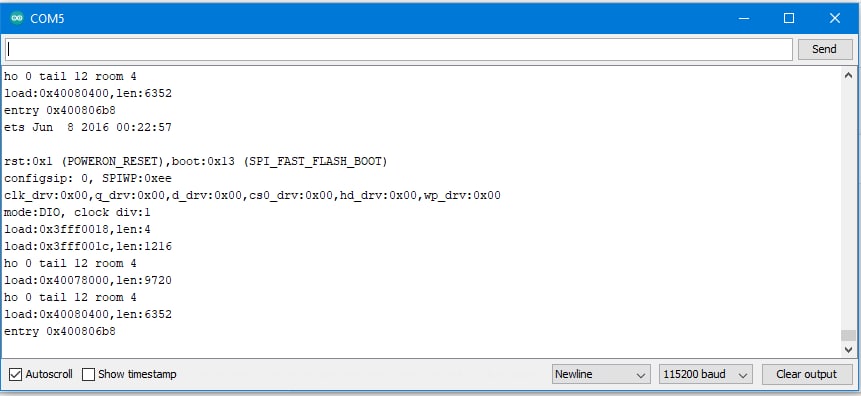
I want to ask, why does my program always stop here and the IP address doesn’t appear?
Thank you, Nena
Hi @Nenamd,
This could be linked to RAM limitation as suggested in messages in this thread. How big is your image model? Using 48x48 pixels images and MobileNet 0.05 version should work on this board, you can see this great article as mentioned by Jan: https://www.survivingwithandroid.com/tinyml-esp32-cam-edge-image-classification-with-edge-impulse/
Aurelien
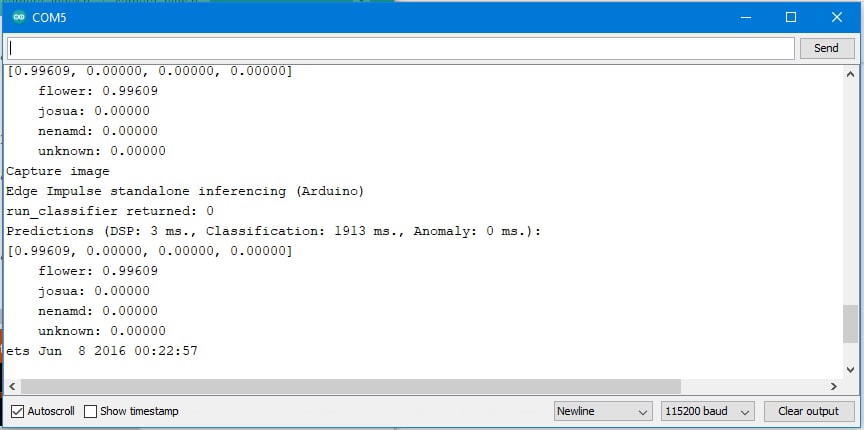
thank you, @aurel for the answer. I’ve converted the image to 48x48 pixels and the MobileNet version to 0.05, as reviewed by the article provided by Jan. but the result is like that.
Nena
Looks like it could be some power supply issue, see this link.
Are you able to make the board work with the Arduino Blinky sketch?
Also if you can share your Edge Impulse project ID we can double check that everything is set up correctly.
Aurelien
Thank you, @aurel
I have tried using the static_buffer example and it works but from that article it doesn’t work.
I am very grateful if you can help me.
this is my Impulse Edge Project ID: 23879
Nena
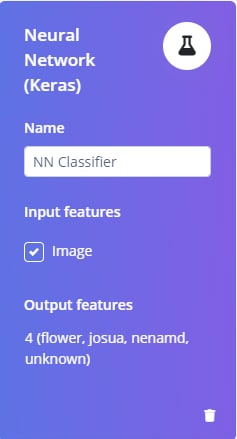
Hi @aurel @janjongboom I want to ask again about the classification used by Edge Impulse, namely NN.
which one belongs to the NN?
CNN, ANN, or RNN?
thank you
Nena
@Nenamd, CNN / ANN and RNN are all forms of neural networks, but currently we don’t support recurrent neural networks on most targets in Edge Impulse.
Hey @Nenamd,
I’ve managed to make the tutorial work on my ESP32 AI thinker board.
It should also work on the Wrover module. I had to fix few things on the code example provided by the tutorial.
I just created a Github repo with my code, could you try that to see if it works please? https://github.com/luisomoreau/ESP32-Cam-Edge-Impulse
Best,
Louis
Hello @aurel
I want to ask again.
I’ve tried with frimezise above 400x296 and the results failed.
is it possible to use framesize above 400X296?
If possible, what should I do?
Thanks
Nena
hi @louis
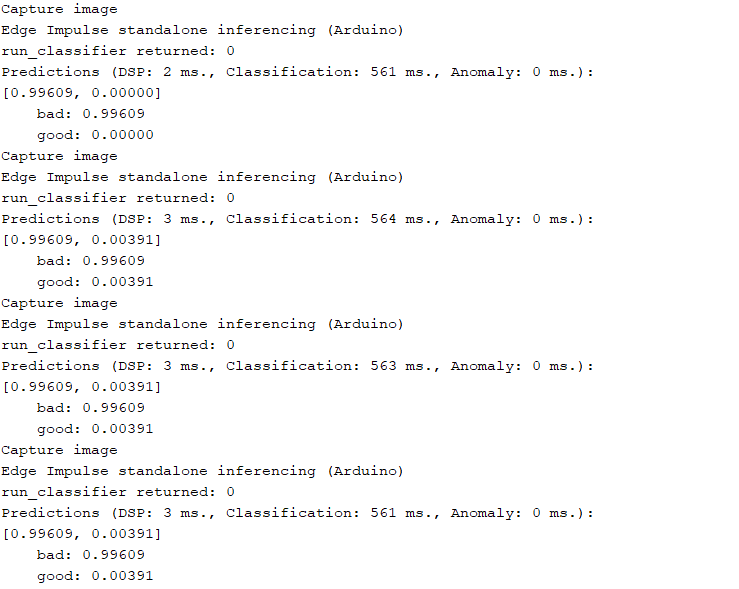
Thank you for your sharing. I tried the code you provided on my own edge impulse model and it works. But no matter what kind of pictures I take, the output is the same every time [Predictions Scores 0.99609, 0.00391]. Is something wrong? I use a QVGA image format.
thank you
Ji
Hi @janjongboom @louis
Update today’s new questions.
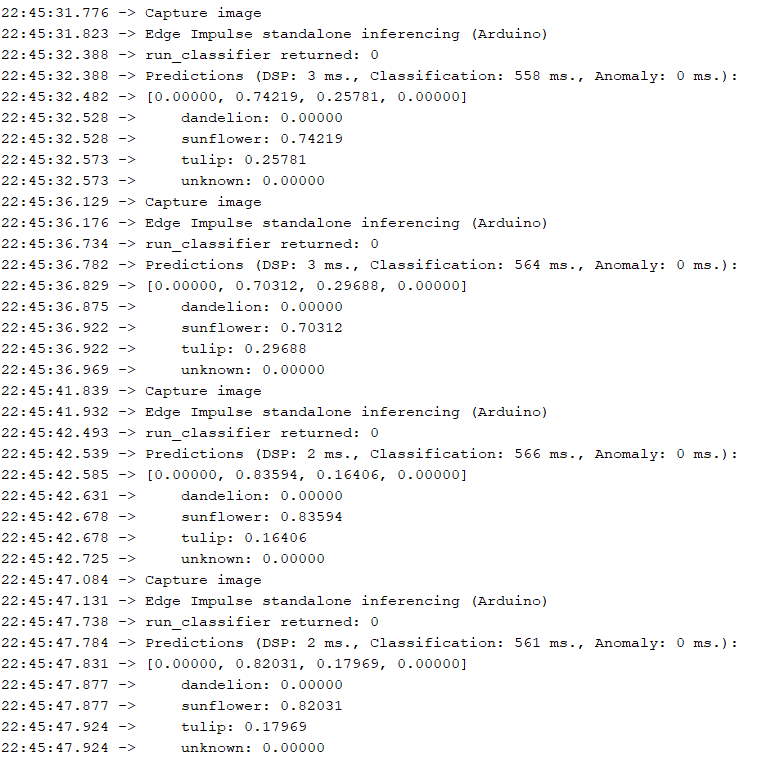
I have set up a flower classification task according to the tutorial. There are two problems still bothering me.
1.FRAMESIZE_ 240x240 is not declared, although I added it to the header file of <sensor.h>. So I had to use the image size of QVGA (320x240). How can I get a 240x240 image size?
2. No matter what kind of photos are taken, only the scores of two categories are changing. As shown in the figure below, the scores of dandelion & unknown are always zero. But when I save the photos and import them into the edge impulse project as testing dataset, there are scores for all four categories. That’s the real situation. So does anyone know what’s wrong?
I am very grateful if anyone can help me.
Which board are you using? I’m using the AI thinker module and the FRAMESIZE_240x240 seems to be working well. Unfortunately, I don’t have a Wrover module with me so I cannot test it right away.
And which camera model are you using?
The QVGA framesize should not be a problem, however, you need to modify these lines (line 29) with the actual frame size you are using:
// raw frame buffer from the camera
#define FRAME_BUFFER_COLS           240
#define FRAME_BUFFER_ROWS           240
Note that the int cutout_get_data(size_t offset, size_t length, float *out_ptr) function does not do a resize. Have a look at the piece of code @janjongboom wrote some times ago for a better understanding.
2. No matter what kind of photos are taken, only the scores of two categories are changing. As shown in the figure below, the scores of dandelion & unknown are always zero. But when I save the photos and import them into the edge impulse project as testing dataset, there are scores for all four categories.
I’m investigating that last point, I had the same issue.
Maybe it comes from the config.pixel_format = PIXFORMAT_JPEG; as the cutout_get_data function is then converting r565 to rgb when we’re using a JPEG format.
I’ll let you know as soon as I have something new.
Best,
Louis
Note that we’re adding a fast and memory efficient crop/resize function to the SDK this week, so we can switch to that soon.
hi @louis
thank you for your reply. I’m also using the AI thinker module. I set framesize to 320x240 according to the QVGA format,so that’s not the problem,I just wonder why FRAMESIZE_240x240 doesn’t work.
I’ve referred to the function cutout_get_datain() in detail @janjongboom. I think this function is to convert the input rgb565 format into rgb888 format, and cut the image to the required size, such as 48x48.But I noticed a problem: The image of rgb565 is in U16 format, while the image buf we put in is in U8 format, which does not match in quantity. For example, if we get a 240x240 image, the size of fb ->buf should be 240 * 240 * 2 = 115200(if
we use config.pixel_format = PIXFORMAT_rgb565). We should first combine every two bufs into an rgb565 unit, and then input it into the cutout_get_data() function.
if we use config.pixel_format = PIXFORMAT_JPEG,Should the compressed buf be restored to RGB format before processing? Anyway, I think this function needs to add some other parts to work properly.
Thanks again and look forward to new solutions.
Jifly